A robot mower does its best work when maintenance is boring, regular, and quick. This robot lawn mower maintenance checklist gives you a year-round schedule for the small tasks that keep cuts clean, wheels moving, sensors clear, and charging reliable. The goal is not to fuss over the machine every day. It is to catch grass buildup, dull blades, loose screws, dirty contacts, and storage mistakes before they turn into missed mowing sessions.
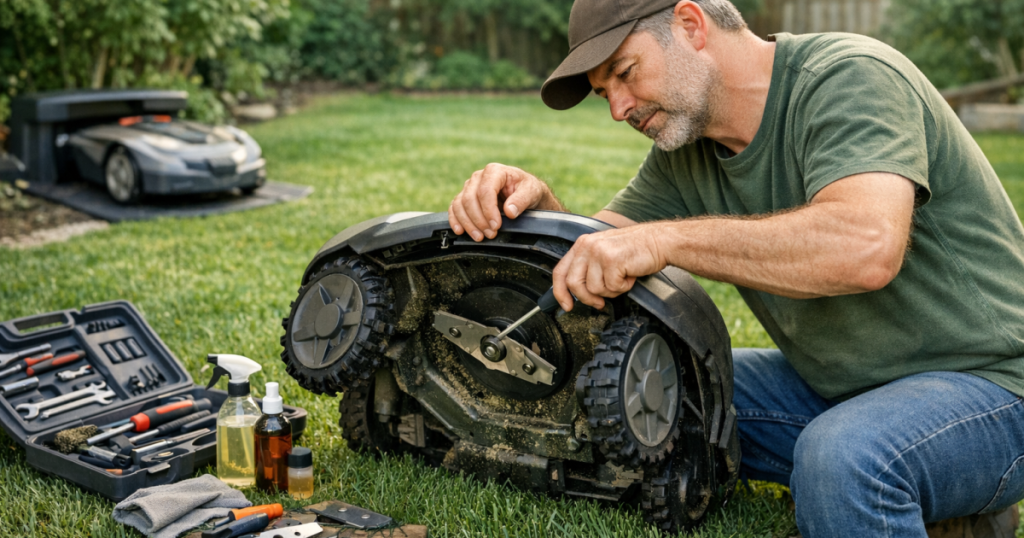
Before any cleaning, blade check, wheel inspection, or underside work, turn the mower off according to the manufacturer’s instructions, remove any safety key or disable the mower if your model uses one, and wear gloves. Robot mower blades are small, but they are still blades; they do not need much help to ruin an afternoon.
The big picture
Most robot lawn mower care falls into five buckets: blades, cleaning, wheels, charging, and storage. The exact schedule depends on grass growth, yard debris, weather, mowing frequency, and the mower’s design, but a homeowner-friendly routine usually looks like this:
- Before or after each mowing period: check for sticks, toys, hose ends, pine cones, and other objects in the mowing area.
- Weekly during peak growth: inspect the underside, brush away loose clippings, wipe sensors or camera areas if your model uses them, and confirm the mower docks cleanly.
- Every 2 to 4 weeks: check blade sharpness, blade screws, wheels, charging contacts, and any boundary wire or physical guide areas.
- Monthly: review app alerts, firmware update prompts, mowing schedule, cutting height, and problem areas in the yard.
- Seasonally: do a deeper clean, prepare for spring startup, adjust for summer heat and fast growth, clear fall debris more often, and store the mower properly for winter.
That calendar is intentionally simple. A robot mower should save time, not create a second hobby unless tinkering is your idea of a peaceful Saturday.
Weekly checks during mowing season
Clear the lawn before the mower finds the mess
Walk the mowing area once or twice a week, more often if you have kids, dogs, mature trees, or weekend projects scattered around the yard. Look for dog toys, sprinkler heads left above grade, fallen branches, landscape fabric staples, extension cords, garden hoses, and rocks kicked out of beds.
This is especially useful in real suburban yards where the mower shares space with patio furniture, play sets, and edging projects. Obstacle detection can help, but it should not be treated as permission to leave clutter in the grass. The safest object is the one the mower never meets.
Brush off grass buildup
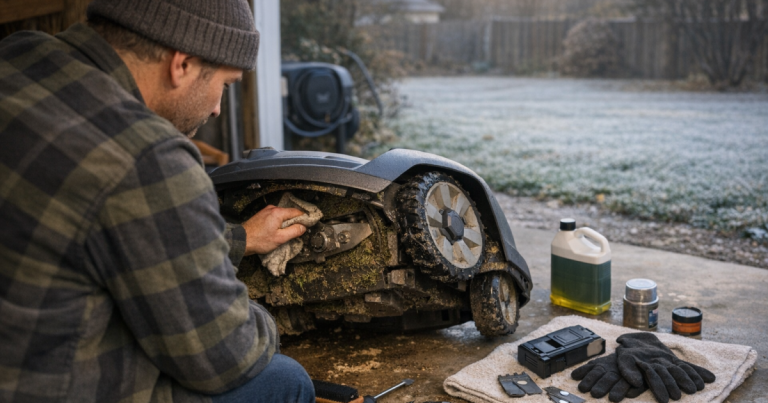
Once a week, turn the mower off and inspect the underside. Use a soft brush, plastic scraper, or damp cloth to remove packed clippings from the deck, blade disc, and wheel areas. Avoid pressure washing unless your mower’s manual specifically allows it. Even weather-resistant mowers have seals, bearings, connectors, and electronics that do not benefit from a blast of water.
Wet spring grass, southern humidity, and irrigated lawns can pack clippings into a dense mat. If the mower sounds strained, leaves uneven strips, or returns to the charger wearing a green beard under the deck, clean it sooner.
Keep sensors, cameras, and docking areas clean
Many wire-free robot mowers depend on clear sensor windows, cameras, LiDAR openings, or other navigation hardware. Wipe these areas gently with a clean, slightly damp cloth if they are dusty, streaked with pollen, or smeared with grass. A compact LiDAR mower such as the Mammotion YUKA mini 2 1000H is a good reminder that maintenance is not just about the cutting deck; navigation hardware needs a clear view of the yard too.
Also check the charging station. Grass should not grow high around the base, the mower should approach without bumping awkwardly, and the station should sit firmly rather than rocking on soft soil.
Blade care: the small part that changes the cut
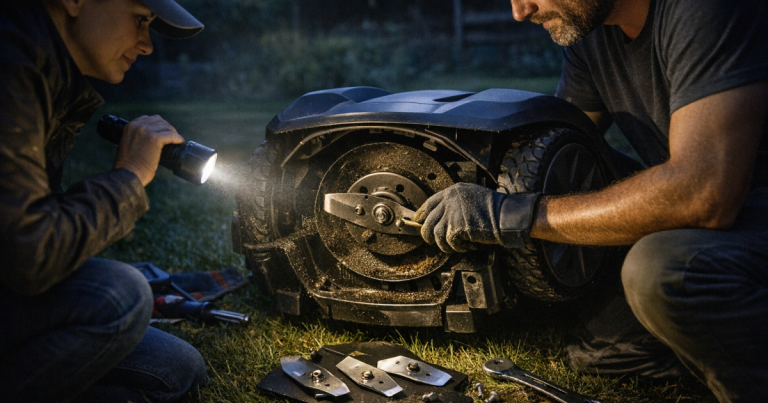
Robot mower blades are wear parts. They strike grass thousands of times across repeated mowing cycles, and they may also clip twigs, seed heads, thick weeds, or sandy soil. Dull blades tear grass instead of slicing it, which can leave pale tips and a rougher-looking lawn.
Check blades every 2 to 4 weeks during active mowing season. Replace them sooner if they are chipped, bent, badly worn, rusty, or producing ragged cuts. Always replace blades in sets unless the manufacturer says otherwise, because uneven blade weight can create vibration. Use the correct replacement blades and screws for your mower; close-enough hardware is not a clever shortcut here.
- Signs blades need attention: brown or frayed grass tips, louder cutting noise, uneven finish, visible nicks, or blades that no longer pivot freely.
- Good practice: keep a spare blade set on hand before peak growing season starts.
- What to avoid: reusing damaged screws, mixing blade types, or overtightening beyond the manual’s instructions.
Monthly checks that prevent annoying failures
Inspect wheels and traction surfaces
Robot mower wheels collect mud, acorns, mulch, wet leaves, and long grass. Once a month, check that each wheel turns freely and has no caked debris lodged around the axle area. On uneven yards, this matters even more because traction problems can show up as repeated slipping, route failures, or docking trouble.
All-wheel-drive models add more driven contact points with the ground, but they still need clean tires and free-moving wheels. If you are comparing maintenance expectations for compact slope-capable machines, the Segway Navimow i206 AWD is the kind of mower where wheel condition is part of the ownership picture, not an afterthought.
Clean charging contacts
Charging problems often start with something simple: dirty or oxidized contacts. Once a month, inspect the mower’s charging points and the station contacts. Wipe away grass residue, dust, and pollen with a dry or slightly damp cloth. Let everything dry before docking.
If the mower repeatedly fails to charge, docks and backs out, or stops short of the station, do not assume the battery is bad. Check the station position, contacts, power connection, and approach path first.
Review software prompts and schedule settings
Firmware updates can improve reliability, navigation behavior, or app functions, depending on the mower and manufacturer. Once a month, open the mower’s app and check for update notices, error history, rain-delay settings, theft alerts, and schedule conflicts.
Also adjust the mowing schedule as growth changes. A lawn in May does not behave like a lawn in late August. If the mower is leaving clumps, increase mowing frequency or raise the cutting height rather than forcing the machine through heavy growth.
Seasonal care for US lawns
Spring startup
Before the first regular mowing cycle, charge the mower according to the manual, install fresh or inspected blades, clean the deck, check the charging station, and walk the yard. Look for frost-heaved edging, exposed roots, new ruts, downed sticks, and boundary changes from winter projects.
For boundary-wire systems, check for areas where wire may have lifted, been cut by edging tools, or pulled loose near beds and narrow passages. For wire-free systems, confirm mapped zones, no-go areas, and docking behavior before letting the mower run unattended for long sessions.
Summer upkeep
Summer maintenance is about heat, dust, irrigation, and heavy use. Clean more often if your mower runs early in the morning on damp grass or after sprinklers. Keep the charging station area shaded only if the manufacturer’s setup guidance allows the placement; do not block signals, cameras, or approach paths just to make the station look tidy.
Raise the cutting height during hot, dry stretches if your grass type and mower allow it. Taller grass can help reduce stress on the lawn, and it also gives the mower a more forgiving cutting job.
Fall cleanup
Leaves are the classic fall nuisance. A light layer may not stop a mower, but thick wet leaves can hide obstacles, reduce traction, clog the deck, and confuse some navigation systems. Clear heavy leaf piles before mowing. If acorns, walnuts, or small branches are dropping daily, shorten the schedule or pause mowing until you can clear the lawn.
Winter storage
When the mowing season ends, clean the mower thoroughly, inspect or replace blades, wipe contacts, and store it in a dry, frost-protected location following the manufacturer’s battery instructions. Many robot mower batteries should not be stored fully depleted, so check the manual for the recommended charge level and recharge interval.
Bring in removable accessories if the manufacturer recommends it. For charging stations left outdoors, make sure the power supply and connectors are handled exactly as the manual specifies for winter conditions.
Model-dependent exceptions
Not every mower asks for the same care. Boundary-wire mowers add wire and connector checks. RTK-based mowers may need attention around the antenna location and signal path. Vision and LiDAR mowers need clear sensing surfaces. AWD mowers may demand closer wheel inspection because they are often chosen for slopes, bumps, and more complicated ground.
Large-property machines also tend to accumulate more running time, so blade wear and cleaning intervals may shorten. A homeowner comparing a mower profile such as the Husqvarna Automower® 420 iQ with smaller yard-focused options should think beyond acreage ratings and consider how much debris, slope, and daily runtime the mower will actually see.
Warning signs you should not ignore
- Ragged grass tips: blades are likely dull, damaged, or stuck.
- Repeated docking failures: check the station position, contacts, approach path, and nearby grass height.
- Frequent slipping: clean wheels, inspect tires, and look for wet slopes, mud, or buried debris.
- Shorter mowing sessions than normal: clean the deck, review battery and charging alerts, and check whether heavy grass is increasing load.
- New navigation errors: clean sensors, confirm mapped zones, and check whether trees, patio furniture, or yard changes are blocking the mower’s expected route.
- Unusual vibration or noise: stop the mower and inspect blades, screws, blade disc, and wheel areas before running it again.
Things readers ask
How often should robot mower blades be changed?
Check blades every 2 to 4 weeks in mowing season. Replace them when they are dull, chipped, bent, rusty, or leaving torn grass tips. Fast-growing lawns, sandy soil, sticks, and frequent mowing can shorten that interval.
Can I hose off a robot lawn mower?
Only if the mower’s manual allows it. A brush, cloth, and gentle wiping are safer for many models. Do not pressure wash the mower unless the manufacturer explicitly says that cleaning method is acceptable.
Do robot mowers need winter maintenance?
Yes. Clean the mower, inspect blades and contacts, store the mower dry, and follow the manufacturer’s battery storage instructions. Winter neglect is one of the easiest ways to create spring startup problems.
Is maintenance harder with wire-free models?
Not necessarily. Wire-free models remove boundary-wire checks, but they may add sensor, camera, LiDAR, antenna, or mapping-related upkeep. The workload shifts rather than disappears.
Key takeaways
A reliable maintenance rhythm is simple: clear the yard, clean the deck, inspect blades, keep wheels moving, wipe charging contacts, watch app alerts, and store the mower correctly when the season ends. The right schedule depends on your grass, terrain, trees, weather, and mower design, but small regular checks beat emergency troubleshooting every time.
Start with weekly cleaning and monthly inspections, then tighten or loosen the schedule based on what your yard throws at the mower. If the lawn has slopes, heavy shade, falling debris, dogs, toys, or narrow passages, maintenance is not a punishment for owning a robot mower. It is how you keep the convenience you bought it for.