A robot mower across driveway setup can work, but only when the mower has a controlled route, the crossing is low-risk, and the yard layout supports the workflow. The real question is not just whether the mower can reach both lawns; it is whether it can do so repeatedly without blocking cars, confusing its map, or ending up stranded away from the charger.
Driveway cuts, trenching, conduit placement, or hardscape modifications for boundary or guide wire should be carried out by a qualified installer or contractor in line with local regulations, utility-marking requirements, and safety standards.
Main points
- One mower can handle front and back lawns separated by a driveway when there is a safe connected passage, a supported secondary-area workflow, or reliable multi-map support.
- The mower usually needs a way to return to its charging station on its own. If it cannot, plan on carrying it to the second area and bringing it back.
- A driveway route should avoid active vehicle paths when possible, sharp curb lips, drainage channels, loose gravel, and places where pedestrians may not expect a mower.
- Wire-free mowers depend on dependable positioning and mapping. boundary-wire mowers depend on careful wire routing, protection, and repair access.
- A second mower becomes more realistic when the two lawns are large, heavily separated, gated, or interrupted by a busy driveway or public sidewalk.
The short answer for front and back yards
Yes, one robot lawn mower can often handle a front yard and back yard separated by a driveway or sidewalk, but only under specific conditions. The cleanest setup is a connected route where the mower can travel between zones and return to the dock without help. The next-best setup is a secondary area or multi-map workflow where you move the mower yourself when needed. If the mower must cross a busy driveway, public sidewalk, steep curb, loose gravel, or a long non-grass section, one shared mower becomes less reliable and may be less practical.
Think of the driveway as a transition zone, not part of the lawn. Your job is to decide whether that transition can be made predictable: same entry point, same exit point, no surprise obstacles, and a route the mower’s navigation system can understand.
Step 1: Decide whether the two lawns are truly connected
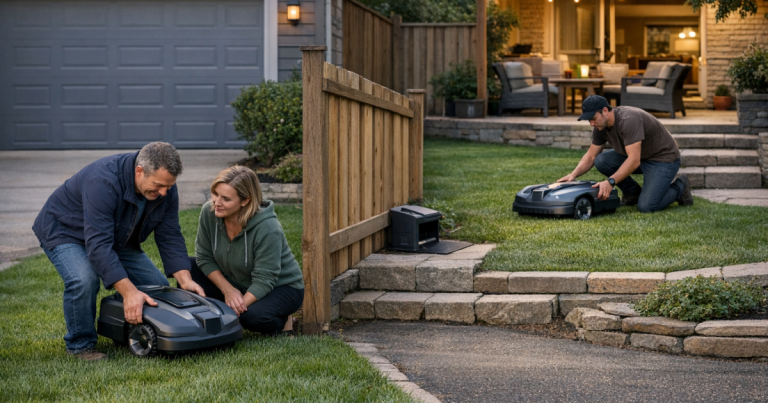
Walk the route as if you were the mower. Start at the charging station, move to the far lawn, then return. Look for the narrowest pinch point, the highest curb edge, and the place where a car, trash bin, basketball hoop, hose, or planter is most likely to appear.
A connected layout has a defined path the mower can use without being lifted. This might be a short concrete driveway crossing, a side gate with enough clearance, or a strip of grass beside the driveway. A disconnected layout has a hard interruption the mower cannot reasonably cross: steps, a closed gate, a tall curb, a retaining wall, a loose gravel drive, or a public sidewalk with regular foot traffic.
For wire-free systems using RTK or similar positioning, signal quality along the route matters as much as the route itself. If the mower loses positioning near the house, garage, trees, or a narrow side yard, the map may be solid in one lawn and unreliable in the transfer path. Before committing to a driveway crossing, read up on RTK antenna placement for reliable robot mower mapping.
Step 2: Choose the routing method
Option 1: Let the mower travel across a short, quiet driveway
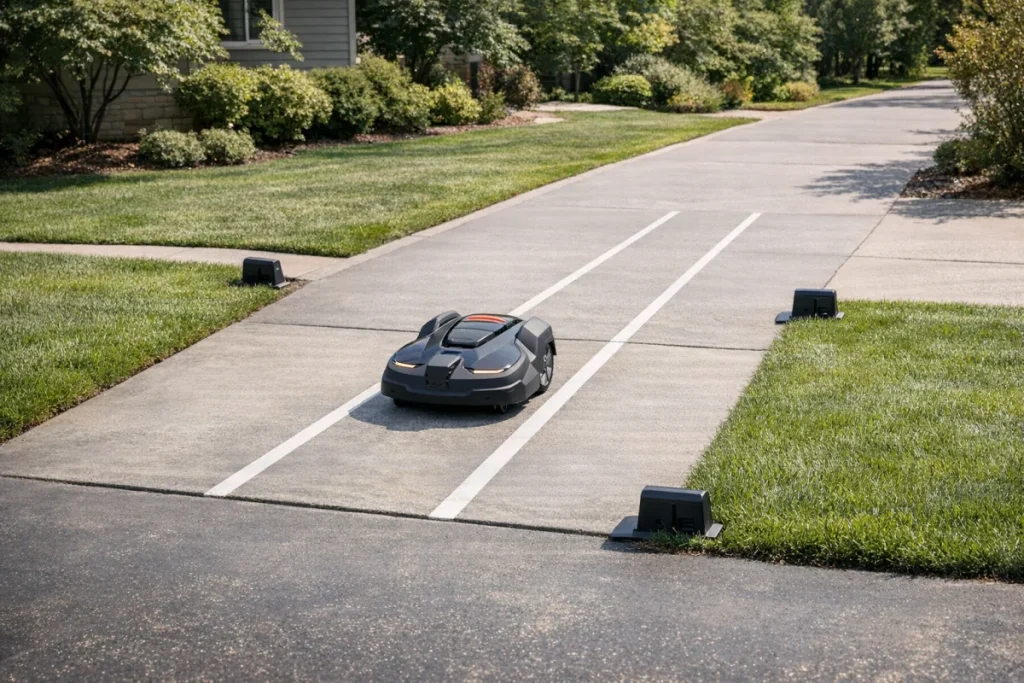
This is the most convenient arrangement when the crossing is short, flat, and easy to supervise during setup. The mower leaves one lawn, crosses the paved surface in a defined corridor, enters the other lawn, then later returns to the dock.
This works best when the driveway has low traffic, no blind corner, no steep apron, and no loose surface. A smooth concrete or asphalt crossing is generally easier for a mower than gravel, pavers with wide joints, or a sloped edge. Keep the crossing narrow and deliberate; do not create a long wandering route over hardscape if a shorter path is available.
Option 2: Use a boundary-wire corridor or guide route
For boundary-wire mowers, the crossing may be handled with perimeter wire, guide wire, or a manufacturer-supported passage layout. The wire routing must match the mower’s installation rules, including spacing, crossing behavior, and how the mower follows the route between areas.
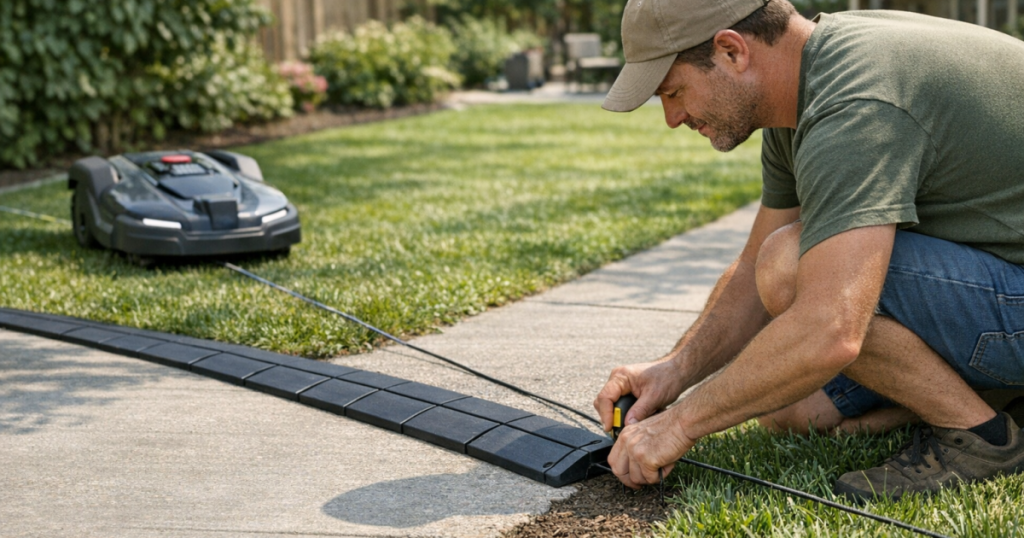
Driveways make wire protection more important. Exposed wire can be damaged by tires, edging tools, snow shovels, pressure washing, or seasonal movement in expansion joints. If your route uses buried or protected wire and later starts failing, the repair process is different from fixing a wire break in open turf. Keep a note or photo of the driveway crossing location, and use this guide to locate and repair a robot mower boundary wire break if the signal drops.
Option 3: Carry the mower to a secondary area
A secondary-area workflow is the simplest answer when the route is unsafe or physically blocked. You mow the main lawn on the normal schedule, then carry the mower to the second lawn for a separate session. When it is finished or needs charging, you bring it back to the charging station.
The trade-off is labor. It still saves push-mowing time, but it is not fully hands-off. This approach is most sensible for a small front strip, a fenced side yard, or a back patch that only needs occasional cutting. It becomes annoying when the second lawn is large enough to require frequent charging or long mowing sessions.
Option 4: Use multi-map support on a wire-free mower
Some wire-free mowers support multiple mapped areas or zones, depending on the model and software. This can be helpful when the mower can be placed in each area and recognize where it is, or when it can travel between mapped zones through a defined passage.
Do not assume every wire-free mower handles disconnected lawns the same way. Before buying, verify whether it supports multiple maps, whether those maps can share one charging station, and whether the mower can navigate a non-grass transition. App setup also has to be dependable; if the mower, phone, and home network are not communicating, map management becomes frustrating. For setup snags, see how to fix robot mower Wi-Fi and Bluetooth connection problems.
Step 3: Check driveway safety before testing
A robot mower is small and slow compared with a car, which is exactly why the crossing deserves attention. Keep the route away from where vehicles back out, turn tightly, or enter from the street. A mower should never surprise a driver, delivery worker, child on a bike, or guest walking up the drive.
Use these checks before the first programmed crossing:
- Visibility: Can a driver see the mower from the garage, street, and parking spot?
- Surface: Is the crossing smooth enough for traction, or are there loose stones, gaps, or raised edges?
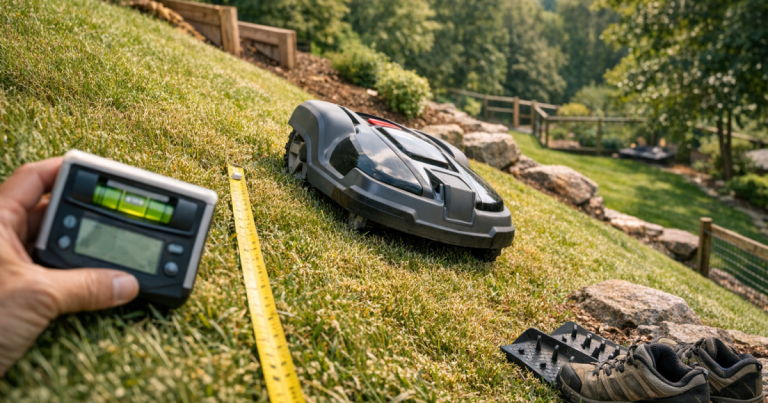
- Grade: Does the mower have to climb a curb lip or steep apron at an angle?
- Obstacles: Are garbage cans, parked cars, toys, hoses, or sports equipment likely to block the same path?
- Traffic timing: Can the schedule avoid school pickup, commute times, delivery windows, and weekend driveway use?
- Public access: Does the route cross a sidewalk or shared area where people may not expect lawn equipment?
If any of those answers feel shaky, use a carry-to-secondary-area workflow or consider a second mower. Automation should reduce chores, not create a driveway lookout post.
Step 4: Confirm docking and charging access
The charging station location determines whether a two-lawn setup feels effortless or fussy. A mower that can visit both lawns but cannot reliably return to the dock will eventually need rescue. Place the dock where the mower has a clean departure path and a clean return path, not in a tight corner behind parked vehicles.
If the dock is in the backyard and the front yard is separated by a driveway, ask whether the mower can complete the front zone and return without being blocked by cars. If the answer changes every day based on where the family parks, the setup is too variable. In that case, schedule front-yard mowing only during known open windows, or use manual transfer.
Step 5: Run a supervised test before relying on the schedule
Do not start with a full automatic week. Test the crossing in daylight while you can watch the whole route. Let the mower leave the dock, reach the second lawn, work briefly, and return. Repeat the test with normal driveway conditions: cars parked where they usually sit, gates in their normal position, and outdoor items where they tend to collect.
Adjust one thing at a time. Move the corridor, widen the passage if the manufacturer’s setup allows it, trim overhanging grass at the edge, or change the schedule. A boring test is a win. You want the mower’s route to be so repeatable that nothing interesting happens.
When a second mower is the better plan
One mower is not always the tidy choice. A second mower may be more realistic when the front and back lawns are both substantial, the driveway is busy, the route crosses a public sidewalk, or a gate cannot stay open during mowing windows. It can also make sense when each lawn has very different terrain: for example, a flat front lawn and a sloped, tree-heavy backyard.
The drawback is obvious: two machines mean two docks, two setup processes, and more maintenance. The benefit is separation. Each mower can stay in the area it is meant to cut, with fewer transition problems and less dependence on perfect driveway timing.
Things readers ask
Can a robot mower cross a sidewalk?
Sometimes, if the mower and installation method support the route and the sidewalk is private, quiet, and part of a controlled path. Be much more cautious with public sidewalks. Pedestrians, pets, bikes, strollers, and local rules can make a public crossing a poor choice even if the mower is physically capable of traveling over it.
Will the blades keep spinning on the driveway?
Behavior varies by mower and setup mode, so check the manual for your model. Do not assume the mower treats pavement as a safe travel-only zone unless the manufacturer’s instructions and your mapped setup clearly support that behavior.
Is gravel a good crossing surface?
Usually no. Gravel can reduce traction, shift under the wheels, hide small ruts, and increase the chance of the mower getting stuck or leaving its intended path. A firm, smooth, short crossing is easier to make repeatable.
Can I just pick the mower up and move it?
Yes, if your mower supports mowing a secondary area and you follow the handling instructions. Turn it off or use the manufacturer’s recommended carry procedure, place it in the second lawn, and return it to the charging station when the session is done.
What to remember
The best route between lawns is the one the mower can repeat without drama. If the driveway crossing is short, visible, smooth, and supported by the mower’s navigation system, one mower can be a clean solution for front and back lawns. If the route depends on open gates, empty parking spaces, public sidewalk crossings, or frequent rescues, treat the second lawn as a manual secondary area or price out a separate mower. The right answer is the one that keeps mowing predictable after the first week, not just possible on setup day.