The fastest way to make a robot mower look “dumb” is to let it find every awkward thing in the yard by trial and error. Before the first full schedule, map robot mower no-go zones around features that can damage the mower, damage the yard, or create an unsafe edge: pools, flower beds, exposed roots, drop-offs, sprinkler heads, and loose seasonal clutter.
The goal is not to wall off every tree trunk and patio chair. A good map separates permanent hazards from ordinary bumpable obstacles, so the mower still covers the grass without turning the lawn into a maze.
The big picture
A no-go zone is a mapped exclusion area on a wire-free mower, or a boundary-wire island on a wired mower. Use one for anything the mower should never enter, climb, cut across, fall into, chew up, or repeatedly scrape. Do not rely on obstacle avoidance alone for hard hazards such as pools, ponds, steep drop-offs, exposed roots, delicate planting beds, low landscape edging, or equipment that sits partly in the cutting path.
Solid, fixed objects such as large tree trunks, fence posts, and substantial raised walls are often handled by the mower’s normal collision or obstacle-detection behavior, depending on the model. Small, low, flexible, reflective, dark, or temporary objects are much less predictable. That includes hoses, toys, garden tools, fallen branches, solar lights, small stones, and low sprinkler caps. Those should be moved before mowing or excluded if they are permanent.
Decision guide for common yard features
Always map or wire around these
- Pools, ponds, fountains, drainage ditches, window wells, retaining-wall drop-offs, and any edge where a mower could fall or enter water.
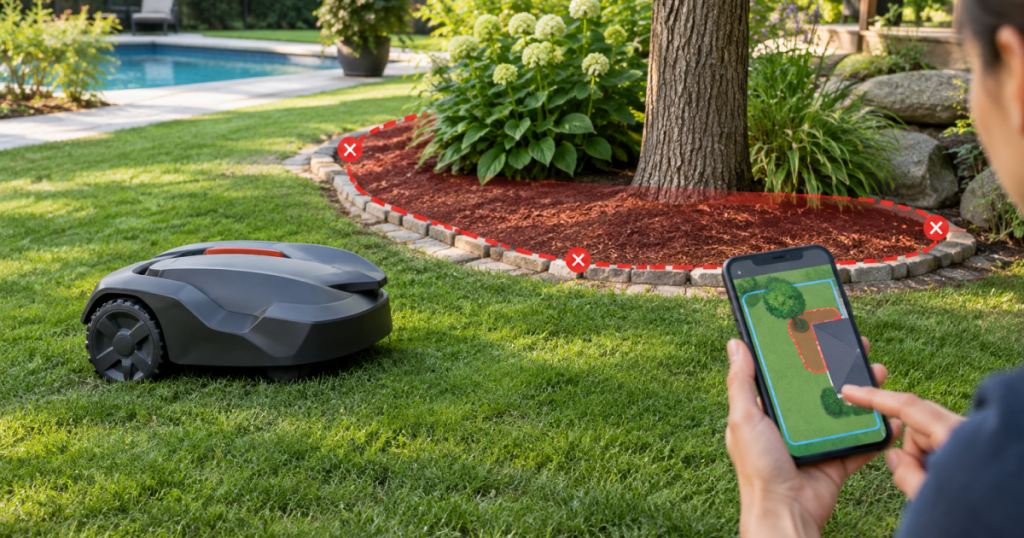
- Flower beds, vegetable beds, newly planted areas, mulch rings with soft borders, and ground cover you do not want clipped.
- Exposed roots, raised root flares, stump remains, large rocks, low metal edging, and uneven paver edges that can catch the deck or blades.
- Fire pits, playset bases, trampoline legs, permanent yard art, HVAC pads near turf, and narrow gaps the mower can enter but not turn around in.
Usually safe to let the mower detect or bump
- Mature tree trunks with flat grass around them and no surface roots in the cutting path.
- Fence posts, mailbox posts, and sturdy vertical objects with enough clear turning room around them.
- Solid raised walls or curbs that the mower approaches on level turf, provided the mower manual allows that type of contact.
Remove before mowing instead of mapping
- Dog toys, children’s toys, sports balls, hoses, extension cords, fallen branches, pinecones, garden gloves, and loose edging pieces.
- Portable fire pits, folding chairs, temporary lawn decorations, lightweight planters, and anything that changes position week to week.
Handle case by case
- Sprinkler heads that sit flush in firm turf are less likely to be a problem than raised, tilted, or broken heads. Flag questionable heads during setup and inspect them after test runs.
- Tree wells and mulch rings depend on the border. A crisp, raised border may be detectable; a soft mulch-to-grass transition usually deserves an exclusion zone.
- Low landscape lights, drainage grates, and valve boxes should be tested carefully. If the mower can drive over, straddle, or nudge them, protect them.
Step 1: Walk the lawn before opening the app
Start with a slow lap around the mowing area while the mower is still parked. Carry a few marking flags, irrigation flags, or short stakes and mark every obstacle that is not just a clean vertical object in open grass. The first walk is not about drawing a perfect map. It is about spotting the features you would rather not hear the mower discover.
Pay close attention to surface roots, wheel ruts, soft soil, and raised seams between lawn and hardscape. A mower can handle normal lawn texture, but roots and ruts change the setup decision because they can cause repeated grounding, missed grass, or blade contact. If your yard has a lot of uneven spots, use this roots and ruts pre-check before treating the issue as a mapping problem.
Step 2: Decide whether each obstacle needs a zone, an island, or cleanup
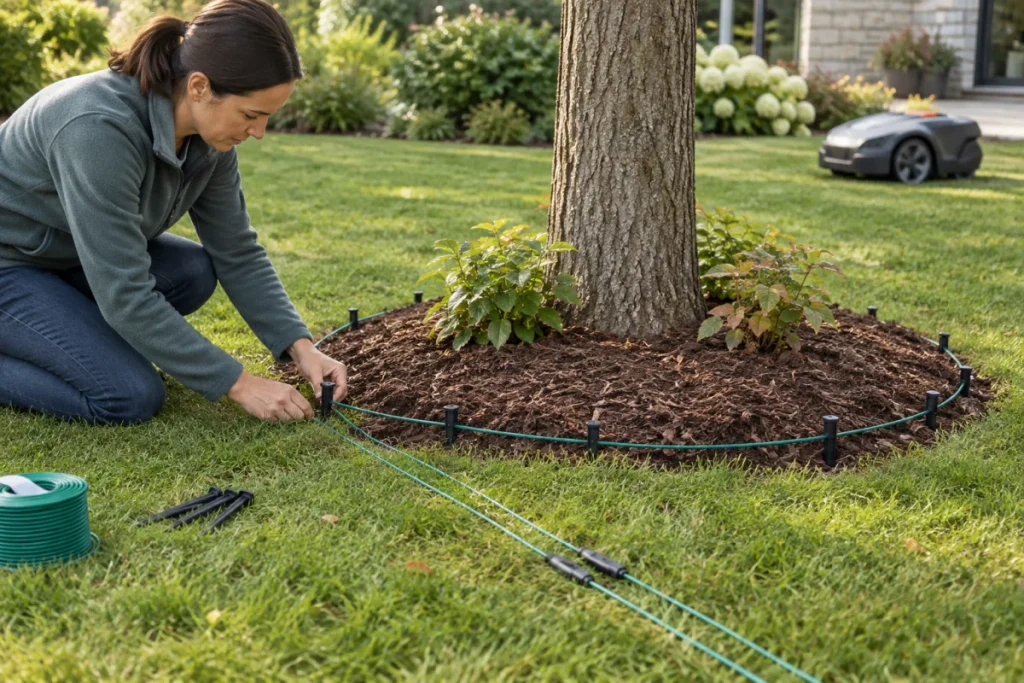
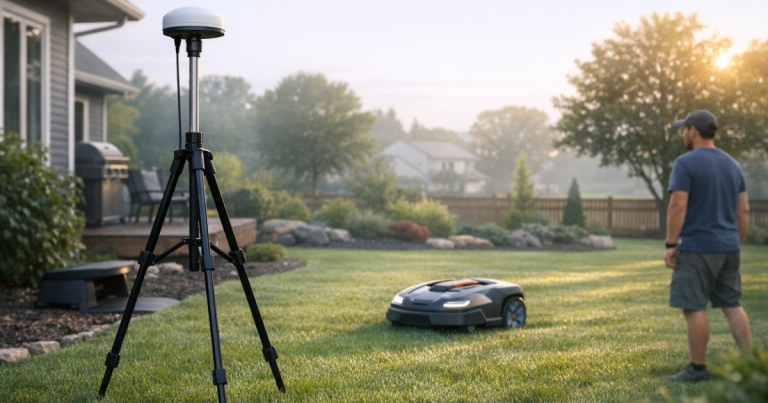
For wire-free mowers, no-go zones are usually created in the mower’s mapping controls after the main mowing area is defined. The exact process varies by brand, but the principle is the same: draw an exclusion boundary around the feature and leave enough margin for GPS, RTK, camera, LiDAR, or wheel-positioning uncertainty, plus the mower’s turning behavior.
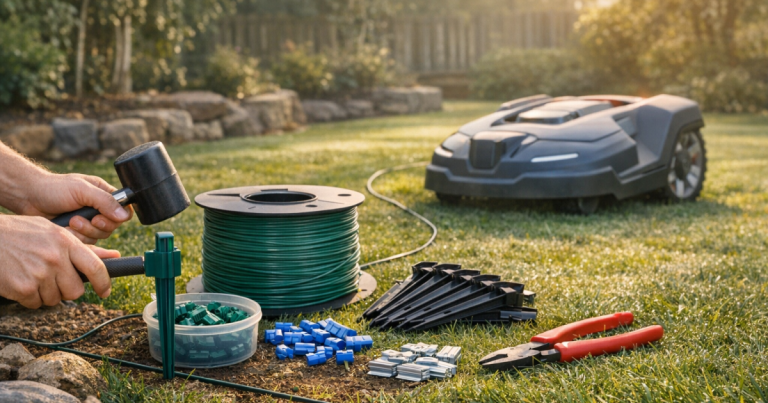
For boundary-wire mowers, the equivalent is commonly called an island. The wire is routed from the outer boundary to the obstacle, looped around it, and returned according to the manufacturer’s installation method. Follow the mower manual closely because wire spacing, connector type, and loop routing affect whether the mower reads the area correctly.
The safest setup uses permanent robot mower no-go zones for permanent hazards and cleanup habits for temporary clutter. Mapping around every movable item creates dead patches and extra trim work. Leaving every movable item in the lawn creates stoppages. Neither outcome is the dream; both are just weekend chores wearing a robot costume.
Step 3: Give hazards more room than you think
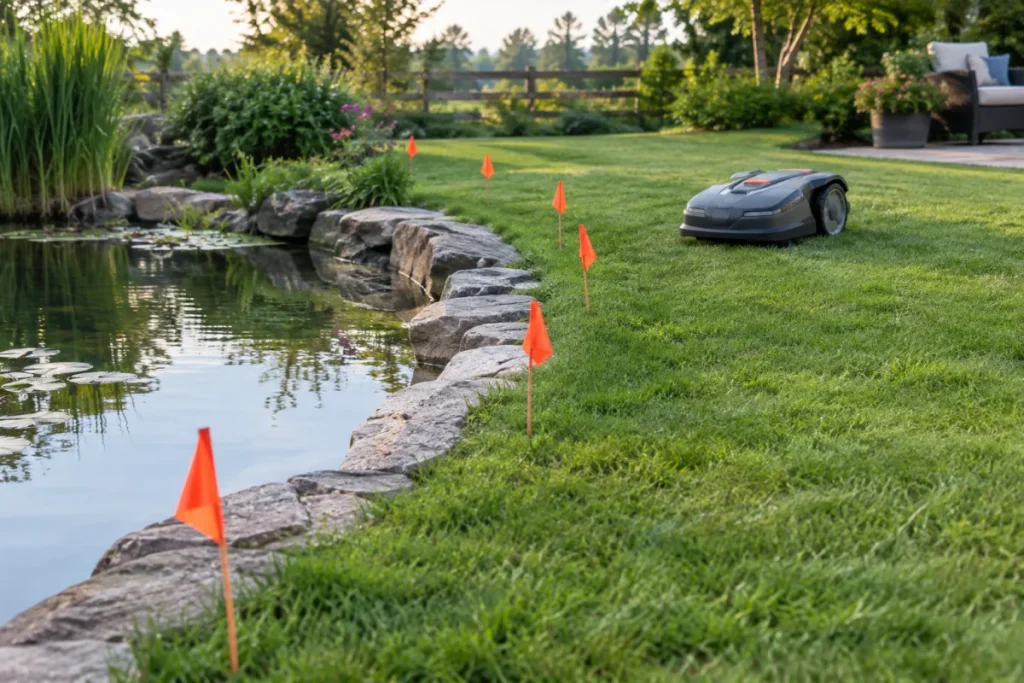
Do not draw the exclusion line tight against a pool coping, root, bed edge, or stone border. Robot mowers do not turn like push mowers, and the cutting deck is not always centered exactly where your eye thinks the mower is tracking. Use the clearance guidance in the owner’s manual, then watch the mower’s first passes from several approach angles.
Pools and water features deserve the most conservative treatment. Set the mapped line or island so the mower cannot nose over the edge, slide on wet grass, or approach a gap in a fence line. A mower’s obstacle detection is not a pool safety system, and it should not be treated like one.
For flower beds, leave a buffer that protects stems that lean over the lawn. For exposed roots, protect the full root flare, not just the highest ridge. For sprinkler heads, the best answer is a properly seated, flush head; mapping around every head can leave a dotted pattern of uncut grass if the system has many heads across the lawn.
Step 4: Keep the mower’s route simple
No-go zones should make the map safer, not more confusing. Avoid narrow channels between two excluded areas unless the mower has enough room to enter, turn, and leave without repeated reversing. If two obstacles sit close together, one larger exclusion zone may work better than two tight islands with a mower-width alley between them.
Also think about the route to the charging station. The mower needs a clean approach path, and the dock should not sit behind a cluster of exclusions, patio legs, roots, or a sharp squeeze point. If the station location is limited by outlet placement, plan the power side carefully rather than improvising a risky cord run; this guide to safely extending charging station power is worth reading before you finalize the dock spot.
Step 5: Test from awkward angles
After mapping, run the mower while you can watch it. Do not judge the setup from one neat pass. Send it near each exclusion from multiple directions: uphill, downhill, across the slope, along the bed edge, and toward the dock path. The problems usually appear when the mower approaches at the least convenient angle.
Look for these signs that the zone needs adjustment:
- The mower clips mulch, flowers, raised roots, or edging even though the map looks correct.
- The mower stops, reverses repeatedly, or spins near the same object.
- The mower leaves a large uncut crescent that could be reduced by reshaping the zone.
- The mower crosses into a protected area or reports that it is outside the working area.
- The mower struggles to rejoin its normal route after avoiding the obstacle.
If the mower repeatedly throws boundary or positioning errors near a mapped edge, treat that as a setup symptom, not random bad luck. Signal conditions, boundary shape, dock placement, wire routing, or nearby objects can all contribute. For a deeper diagnostic path, use the guide on false outside boundary errors.
Common mapping mistakes that cause trouble later
- Mapping too tightly around soft landscaping. Mulch shifts, plants spread, and mower turns are not surgical.
- Trusting obstacle avoidance for low objects. Cameras, LiDAR, ultrasonic sensors, and bump sensors vary by model, and none should be treated as a universal detector for every hose, stone, root, or toy.
- Creating too many tiny exclusions. Each little island can increase missed grass and trimming time.
- Ignoring seasonal changes. Leaves, acorns, seed pods, ornamental grasses, and low spring growth can change how cleanly the mower reads the yard.
- Forgetting service access. Leave room to lift sprinkler covers, weed beds, clean around tree wells, and retrieve the mower without stepping through delicate planting.
Key questions answered
Do I need a no-go zone around every tree?
No. A sturdy mature trunk in level grass is often fine as a normal obstacle, depending on the mower. Add a zone or island when the tree has exposed roots, a soft mulch ring, low branches, decorative stones, or plants around the base.
Should sprinkler heads be excluded?
Not automatically. Flush, well-seated heads are usually handled as part of the lawn surface, but raised, tilted, loose, or damaged heads should be fixed or protected. During setup, flag them and inspect after test runs.
Can object avoidance replace no-go zones?
No. Object avoidance is helpful, but it is model-dependent and limited by object size, color, height, lighting, grass growth, approach angle, and sensor type. Use mapped exclusions or boundary-wire islands for permanent hazards and cleanup for temporary objects.
How close should the exclusion line be to an obstacle?
Use the mower manufacturer’s clearance guidance first. Then widen the margin if the area involves water, a drop-off, roots, soft planting, raised edging, or a slope that could change how the mower turns or stops.
Main lessons
Map hard hazards first, protect soft landscaping second, and let ordinary sturdy obstacles do their job only when the mower has room to approach and turn. The cleanest robot mower setup is not the map with the most exclusions. It is the map that keeps the machine away from real trouble while leaving as much mowable grass as possible.
Once the zones are built, watch the first few runs with an editor’s eye: where does it hesitate, where does it scrape, and where did you overprotect? A few careful adjustments at setup can save months of nuisance stops, damaged beds, and little strips of grass that still demand a string trimmer.