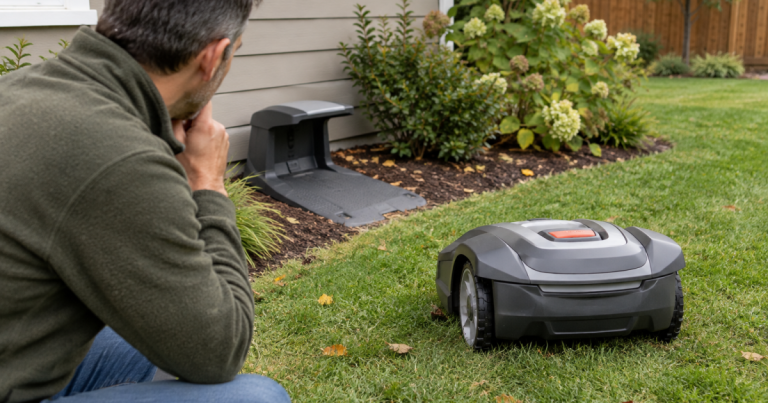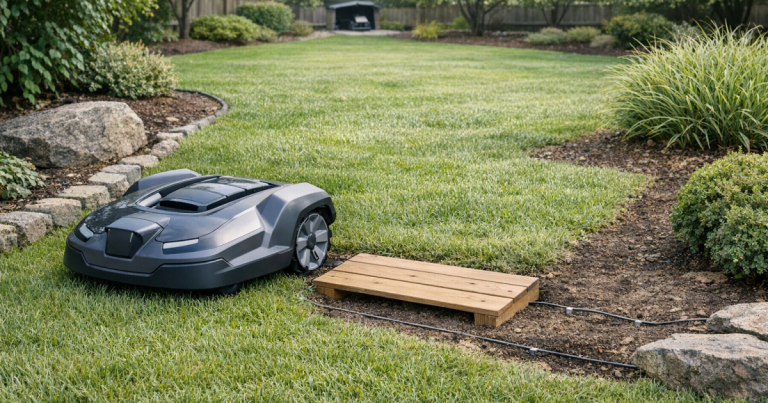

A robot mower outside boundary warning is most frustrating when the machine is plainly sitting inside the grass. Before you blame the mower, treat the message as a location-and-signal problem: the mower either crossed the limit, lost confidence in the boundary signal, or slipped into a position where its sensors disagree with the map or wire.
The good news is that most false boundary errors can be narrowed down with a calm walk around the yard, a few repeatable tests, and a close look at the spots where the mower tends to complain.
The short version
When a robot lawn mower says it is outside the boundary while it is still inside the yard, the most likely causes are weak or distorted boundary signal, boundary wire routed too close to itself, a narrow passage the mower cannot read cleanly, wheel slip on a slope or wet edge, nearby interference, or a mower boundary sensor that needs cleaning, testing, or service.
Start with the location of the error, not the error text alone. A one-time warning near a wet slope is a different problem from a repeatable warning beside a driveway, tree ring, or buried cable run. Repeatability is your best clue.
Step 1: Confirm whether it really escaped
First, check the mower’s physical position, not just the app message. Look at all four wheels, the cutting deck, and the nose of the mower. If part of the mower has crossed the wire, virtual line, or no-mow edge, the error may be accurate even if most of the machine is still on the lawn.
- If the mower is angled across the boundary, it may have turned too late or slid after braking.
- If only the front is over the line, check for a tight corner, rut, root, or obstacle that pushed it wide.
- If it stopped well inside the lawn, move on to signal and layout checks.
For wired systems, a mower can also appear to be inside the yard while its sensor is sitting just beyond the active signal line. The sensor location is not always exactly where your eye expects it to be, so leave a little margin when judging tight edges.
Step 2: Recreate the error in the same spot
Put the mower back on the lawn, restart it according to the manufacturer’s instructions, and watch what happens from a safe distance. Do not stand in the path trying to “help” it steer; robot mowers are already dramatic enough without a human traffic marshal.
If it triggers the same warning within a few feet, you have a local problem. If it runs normally for hours and fails somewhere else, you may be dealing with a broader signal issue, weather-related traction, or an intermittent connection.
Mark the problem area with a stake, garden flag, or photo. Then inspect the ground conditions there: low spots, exposed roots, buried edging, decorative stone borders, tight turns, and slope transitions are all common places for boundary confusion.
Step 3: Check the boundary wire signal
On a boundary-wire mower, the charging station sends a signal through the perimeter loop. If the mower cannot read that signal cleanly, it may report an outside-boundary condition even when the wire is unbroken.
Check the charging station indicator first. A solid “normal” light usually means the loop is continuous, while a warning light can point to a break, short, poor connector, or installation fault. Exact colors and patterns vary by brand, so use the manual for your mower rather than guessing from another model.
Then inspect the wire path near the error. Look for:
- Wire pulled above the soil by frost heave, pets, aeration, or edging work.
- Loose couplers or corroded connectors near repairs.
- Sharp wire turns at corners where the mower keeps overreacting.
- Boundary wire and guide wire running too close together for too long.
- Extra coils of wire left bundled near the dock or under mulch.
If your installation has been patched more than once, the repair may still conduct but produce unreliable behavior in wet soil or under load. For replacement planning, see our guide to robot mower boundary wire gauge and type.
Step 4: Look for layout mistakes that confuse the mower
False boundary errors often come from geometry rather than electronics. The mower is trying to interpret a signal field, not admire your landscaping, so some neat-looking installations are harder for it to read.
Common layout trouble spots
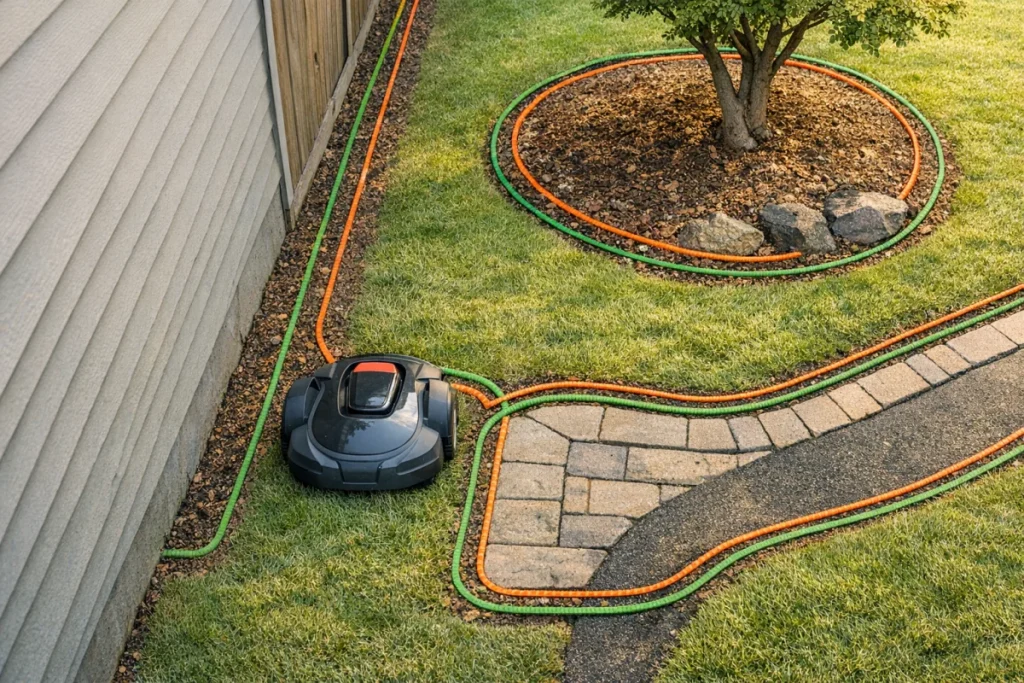
- Narrow corridors: A side yard between a fence and the house can make boundary signals crowd together.
- Islands around trees or beds: If outbound and return wires are not routed as the manufacturer specifies, the mower may read the area incorrectly.
- Pinched corners: Tight inside turns near patios and driveways can make the mower straddle the limit.
- Sloped edges: The mower may slide outside the intended path after it has already made the correct steering decision.
If the error happens near an island, do not simply move one side of the wire a few inches and hope. Check the brand’s spacing rules for island loops and passage widths. A small layout correction can solve the problem, but a random correction can create a new one on the next mowing cycle.
Step 5: Separate signal confusion from slope slip
A mower that slips on a wet hill, loose soil, pine needles, or a rutted edge may stop beyond the point where its navigation expected it to be. The error message can look like a boundary problem, but the trigger is traction.
Clues that point to slip include diagonal wheel marks, muddy tires, repeated failures after rain, or errors at the bottom of a slope. If this is the pattern, reduce mowing during wet periods, improve the surface if practical, and consider whether the yard is asking more from the mower than its drive system can handle.
If the same machine also gets trapped in the same low corner or beside a root flare, use the checks in how to fix a robot mower that gets stuck in the same spot alongside the boundary troubleshooting here. Stuck behavior and false boundary messages often share the same yard feature.
Step 6: Rule out interference and nearby wire problems
Boundary signals can be affected by nearby conductors, metal edging, invisible dog fence wire, landscape lighting cable, irrigation control wire, or another robotic mower installation next door. You do not need to become an electrician to troubleshoot this, but you do need to notice what runs near the failure zone.
Walk the area and look for parallel runs: boundary wire beside metal edging, a driveway sensor loop, or a utility path. Interference is more suspicious when the mower fails along one long side of the yard rather than at a single broken connector.
For wire-free mowers, the equivalent problem is usually not boundary wire interference. It is more likely map drift, blocked positioning, weak reference signal, or a mapped border that no longer matches the real mowing area after landscaping changes. Recheck the saved boundary in the app, especially near fences, tree cover, and narrow side yards.
Step 7: Clean and inspect the mower’s sensing area
Turn the mower off using the manufacturer’s shutdown procedure before handling it. Look underneath and around the front and side sensor areas for packed grass, mud, leaves, or stringy debris. A dirty deck is not always the cause of a boundary error, but buildup can make the mower behave less predictably around turns, slopes, and obstacles.
Clean gently, avoid pressure washing unless the manual explicitly allows it, and do not scrape at sensor housings with metal tools. If debris is packed under the mower, our guide to cleaning a robot mower deck safely covers the safer way to do it without forcing water into places it does not belong.
Step 8: Use diagnostic values if your mower provides them
Some robot mowers provide boundary signal or sensor readings in a service menu, dealer menu, or app diagnostic screen. If your mower offers this, compare the readings in a known-good part of the lawn with readings at the failure spot.
You are looking for a clear difference, not a mystery number to obsess over. A noticeably weaker, unstable, or reversed reading near the error area suggests a wire routing, connector, interference, or sensor issue. If the values look abnormal everywhere, the problem may be at the charging station, loop connection, or mower sensor rather than one corner of the yard.
Do not enter service settings or change calibration values unless the manufacturer’s instructions tell you to. Reading diagnostic values is useful; randomly changing them is how a ten-minute check becomes a Saturday.
What to change first
Use the symptom pattern to decide your next move:
- Error at one tight corner: soften the boundary shape, increase margin, and remove ruts or edging conflicts.
- Error near an island bed: verify island wire routing and spacing against the manual.
- Error after rain or irrigation: treat traction and wet soil as the leading suspects.
- Error along one side of the yard: look for nearby cables, metal edging, or long parallel wire runs.
- Error in random places: check charging station signal, connectors, battery state, firmware/app notices if applicable, and mower sensors.
If repeated corrections do not help, document the exact locations, weather, photos of the wire path, dock light status, and any diagnostic readings before contacting the manufacturer, dealer, or installer. Clear notes shorten the support loop considerably.
Key questions answered
Can a broken boundary wire cause a false outside-boundary error?
Yes, but it is not the only cause. A complete break often triggers a loop or no-signal warning at the dock, while weak connectors, poor repairs, close wire routing, or interference can create confusing outside-boundary behavior without an obvious full break.
Why does the error happen only in one part of the yard?
A single repeatable location usually points to a local condition: a tight wire layout, slope slip, metal edging, a buried cable nearby, a narrow passage, or a landscaping feature that pushes the mower off its expected path.
Should I remap a wire-free mower when this happens?
Remapping can help if the saved boundary no longer matches the yard or the mower consistently misreads one edge. Before remapping the entire lawn, check for blocked positioning, recent landscaping changes, and whether the problem is limited to one border.
What stands out
A false outside-boundary message is rarely solved by one universal fix. The right repair depends on whether the mower truly crossed the edge, lost the boundary signal, slid on the terrain, misread a tight layout, or needs sensor inspection. Work from the exact failure spot outward, make one change at a time, and verify the result before moving the wire again.