Blade swaps are one of the simplest robot mower jobs, right up until a tiny screw refuses to move or the head rounds out. The safest habit with robot mower blade screws is to treat them as wear parts, not permanent hardware, and make a quick inspection part of every blade change.
The goal is not to overcomplicate a routine task. It is to keep each blade held flat, secure, and free to do its job without turning a $5 hardware decision into a damaged cutting disc.
Main points
- If your mower manual or blade kit says to use new screws, use new screws.
- Reuse is only reasonable when the manufacturer allows it and each screw is clean, straight, undamaged, and tightens normally.
- Many replacement screw kits include a pre-applied thread-locking patch. Do not add liquid thread-locker unless your manual specifically calls for it.
- A stripped head usually starts with the wrong driver size, a dirty recess, or too much downward angle while loosening.
- Never substitute a random hardware-store screw unless you can verify the thread, length, head style, material, and locking treatment match the original requirement.
Before you loosen anything
Work with the mower fully powered down according to its manual. Wear gloves, because robot mower blades are small but sharp, and place the mower on a stable surface where it will not rock while you apply pressure to a screw.
Brush away packed grass around the blade disc before inserting the driver. Dirt in the screw recess is one of the easiest ways to make a good screw feel stripped. If your mower has been chewing through sticks, pine cones, toys, or edging debris, it is also worth reviewing how your yard is mapped; obstacles that nick blades can shorten the life of both blades and fasteners. For setup help, see our guide to mapping no-go zones around yard obstacles.
When replacement is the safer choice
For robot mower blade screws, replacement is the lower-risk choice whenever the manual requires it, new screws are supplied with the blade set, the head is worn, the threads look damaged, or the screw no longer tightens with a smooth, confident feel. A blade screw is cheap compared with the cutting disc, blade carrier, or downtime caused by a loose blade.
Many official blade instructions are written around a blade-and-screw change as one service operation. That is partly because the screw head, threads, and locking compound can all degrade with use. Even if a screw looks fine from above, the underside of the head may have been clamped, vibrated, and exposed to moisture and grass residue for weeks or months.
Replacement is also sensible after impact damage. If a blade struck a stone, exposed root, metal edging, or sprinkler head, do not judge the screw only by whether it still turns. Remove it, inspect it under good light, and replace it if there is any bend, burr, flattening, rust pitting, or thread deformation.
When reuse can be acceptable
Reuse is a judgment call, not a badge of thrift. It can be acceptable when the mower manufacturer allows reuse, the original screw has no visible damage, the driver recess is crisp, the threads are clean, and the screw tightens normally without bottoming out, wobbling, or feeling spongy.
Look at the screw as a small clamping part, not just a piece of metal. It has to hold the blade securely while still matching the design of the blade carrier. If the mower uses pivoting blades, the screw also needs to preserve the intended blade movement. Overtightening can be as unhelpful as undertightening if it prevents the blade from moving as designed.
If your blade kit includes new screws, my editorial preference is simple: use them. Saving the old ones for an emergency spare box is fine if they pass inspection, but installing the fresh set removes one small uncertainty from a job you will repeat throughout the mowing season.
Step-by-step: replace the screws without damaging the heads
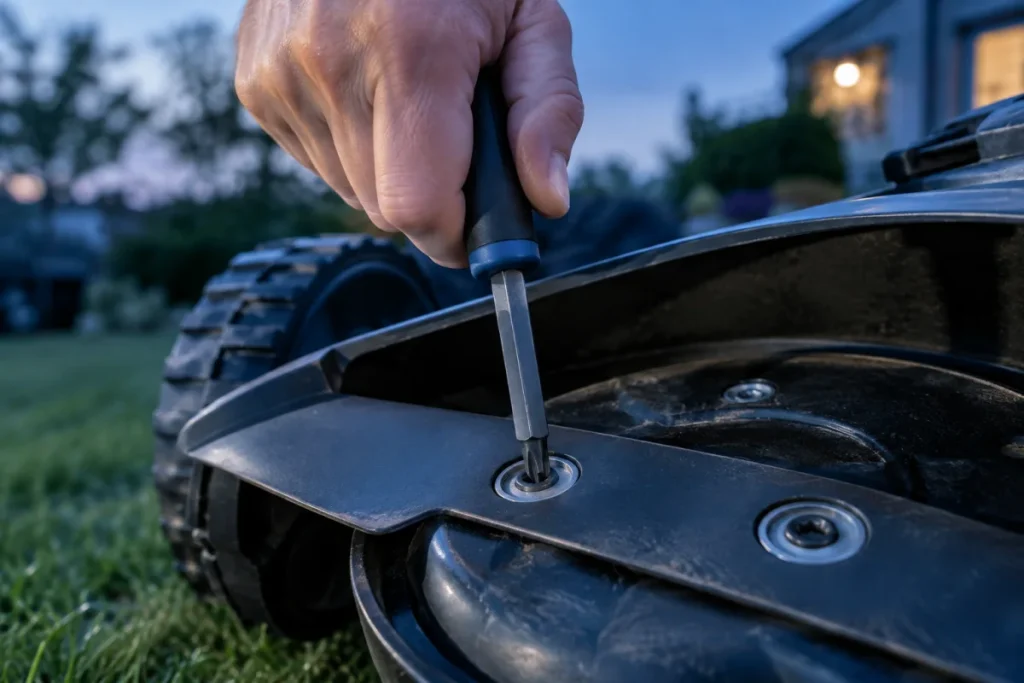
1. Match the driver before applying force
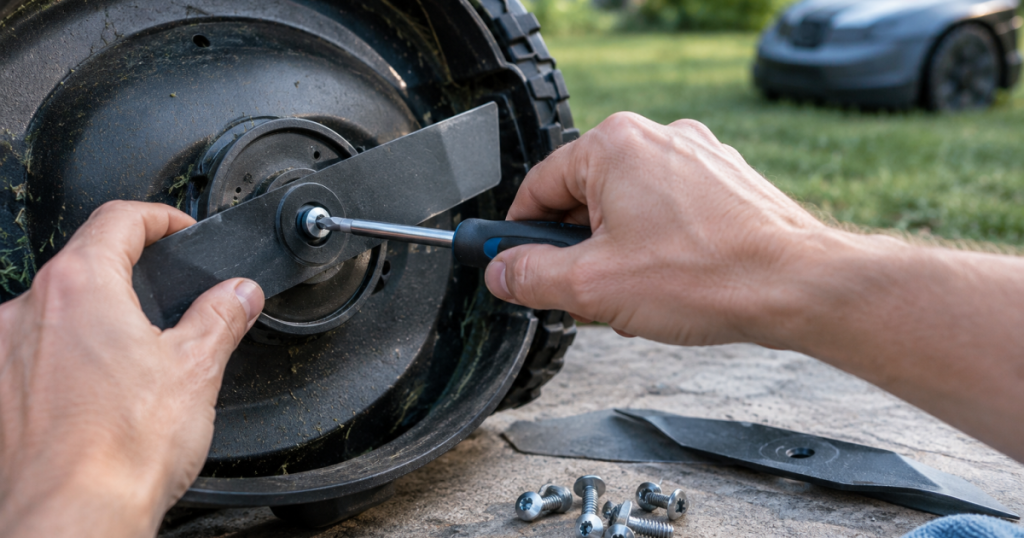
Use the exact driver type and size specified by the mower or blade kit. Do not force a near-fit bit into the recess. A bit that is slightly loose can cam out under pressure and round the screw head before the screw has even moved.
Seat the driver fully, keep it square to the screw, and apply steady downward pressure while turning. If the mower is awkward to hold, reposition it rather than working at an angle.
2. Break the screw free gently
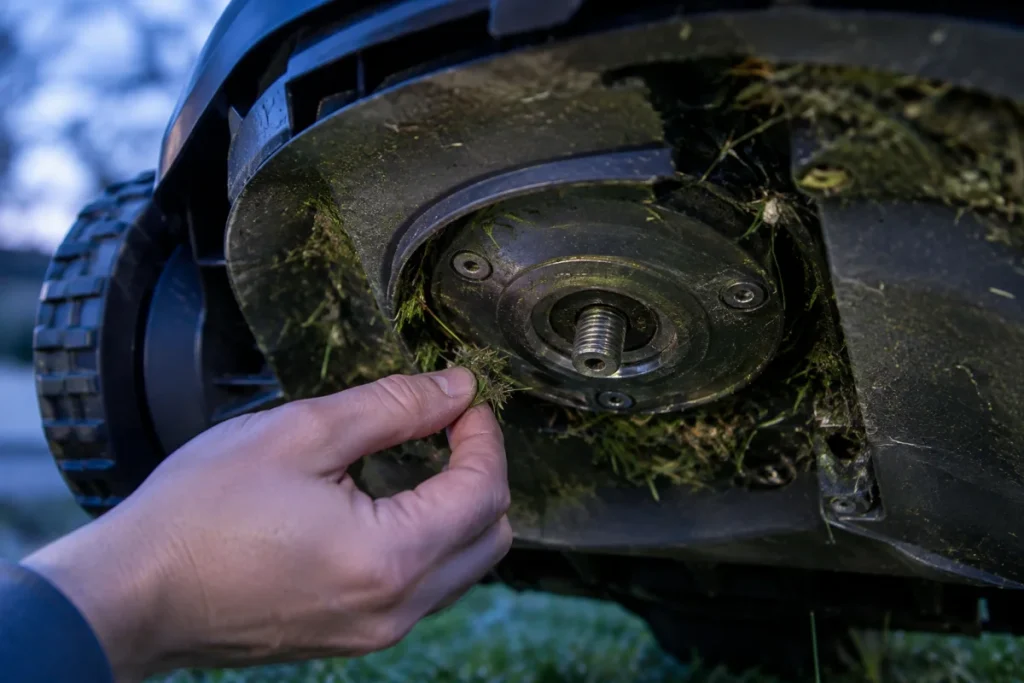
Turn slowly at first. If the screw resists, stop and check that the recess is clean and the driver is fully seated. A small hand driver often gives better feel than a powered driver, especially on compact blade screws.
A power tool can remove screws quickly, but it also makes it easier to strip a head, cross-thread a replacement, or overtighten the final turn. If you use one, keep it on a low setting for removal and finish installation by hand unless your mower instructions say otherwise.
3. Remove one blade at a time
Taking one blade and screw off at a time helps you notice orientation, washers or spacers if fitted, and how freely the blade should move. Keep old screws separate from new screws so a worn fastener does not sneak back into the fresh set.
4. Inspect the mounting point
Before installing the new screw, check the blade carrier or cutting disc. Look for packed grass, cracked plastic, damaged metal, or thread debris. Do not use a new screw to force through damaged threads. If the mounting point is cracked or distorted, the issue is no longer just a screw replacement.
5. Start the screw by hand
Thread the screw in by hand for the first turns. It should start cleanly. If it tilts, binds, or feels gritty, back it out and inspect the threads again. Cross-threading a small blade screw can damage the carrier and make future blade changes harder.
6. Tighten to the manual’s requirement
Use the tightening guidance in the mower manual. If no torque value is provided to you, tighten by feel with a hand driver: snug and secure, not crushed down with maximum force. The blade should sit correctly and behave the way the mower design intends.
How to handle thread-lock compound
Thread-lock compound is where many owners get understandably cautious. Some replacement screws arrive with a colored patch or coating already applied. That patch is there to help the screw resist loosening under vibration.
If a replacement screw has pre-applied thread-locking material, install it as supplied. Adding liquid thread-locker on top can change how the screw tightens and may make the next removal harder. If the screw arrives bare, do not assume you should add thread-locker. Follow the mower or blade-kit instructions.
For compatible Husqvarna machines, Husqvarna Automower Endurance Blades are one example of a genuine blade-and-screw kit to compare against third-party options. The important point is not the logo by itself; it is that the screws, blades, and locking treatment are intended to work together on the mower models listed by the manufacturer.
What to do if a screw head strips
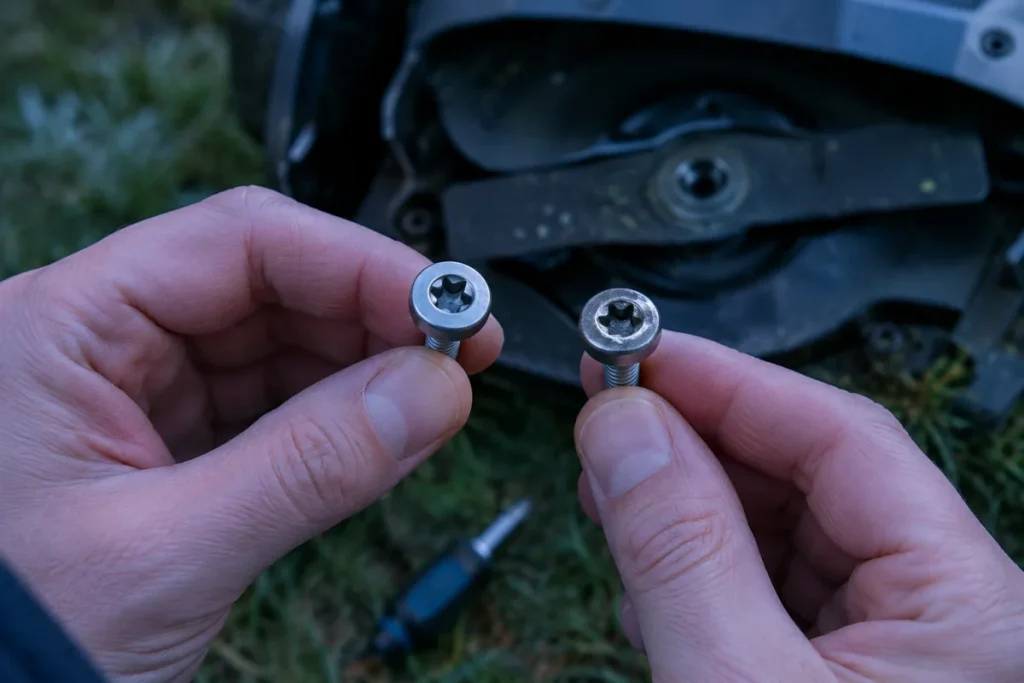
If the screw head starts to strip, stop turning immediately. Continuing to push a slipping driver usually makes the recess worse and reduces your remaining options.
First, clean the recess thoroughly and try a fresh, unworn driver bit of the correct size. Press straight down and turn slowly by hand. If the head is only lightly rounded, that may be enough to remove it.
If the driver no longer grips, do not cut deeper slots, drill aggressively, or pry under the blade unless you are prepared to replace damaged parts. A small screw extractor, left-hand drill bit, or service tool may work, but the cutting disc and blade carrier are close by. Work slowly, protect the surrounding surface, and stop if the screw is not coming out cleanly.
Once removed, discard the stripped screw. Do not reinstall it “just for one mow.” A fastener that cannot be removed cleanly today is likely to be worse after more vibration, moisture, and grass buildup.
How to source the correct replacements
The safest source is the mower manufacturer’s blade-and-screw kit or an authorized replacement part that lists your mower model. If you are comparing aftermarket kits, verify fit by mower model and part description, not by appearance alone.
Match these details before buying or installing replacements:
- Thread type and diameter specified for the mower.
- Screw length, including whether it bottoms out correctly.
- Head style and recess type, so the driver fits fully.
- Material and corrosion resistance suitable for outdoor mower use.
- Whether the screw uses a pre-applied locking patch.
- Whether the kit is supplied with the correct blades for your mower’s cutting system.
A screw that is slightly too long can damage the carrier or fail to clamp properly. One that is too short may not have enough thread engagement. A head with the wrong profile may interfere with blade movement. This is why “it fits the hole” is not a good enough standard for blade hardware.
Mistakes that lead to stripped screws
- Using a worn driver bit because it is already on the workbench.
- Starting removal with grass packed into the screw head.
- Holding the driver at an angle while the mower rocks.
- Using a high-speed drill setting for installation.
- Reusing screws with rounded recesses because they still tighten once.
- Adding liquid thread-locker without checking the manual.
- Replacing the blade but ignoring a cracked or damaged blade carrier.
Blade wear is also tied to mowing conditions. Dense cool-season lawns, sandy soil, and repeated contact with debris can all make the cutting system work harder. If you are trying to maintain a higher cut on tall fescue or Kentucky bluegrass, our guide to robot mowers that cut high enough can help you think through mower setup as well as blade maintenance.
Helpful questions
Do I need to replace the screws every blade change?
Replace them every blade change when your mower manual or blade kit says to, and whenever new screws are supplied for that purpose. If reuse is permitted, only reuse screws that are undamaged, clean, and able to tighten normally.
Can I reuse a screw with old thread-locker on it?
Only if the manufacturer allows reuse and the screw still passes inspection. Old locking compound may not perform the same way after removal, so a fresh pre-coated screw is usually the better choice when one is available.
Can I use stainless screws from a hardware store?
Not unless you can verify every relevant detail matches the mower’s requirement. Material alone is not enough. Length, thread, head shape, recess, and locking treatment all affect how the blade is held.
Why do my screws keep stripping?
The usual causes are a mismatched driver, a worn bit, debris in the recess, angled pressure, or excessive tightening. Repeated stripping can also point to damaged mounting threads or low-quality replacement hardware.
After the blade change
Spin the blade disc by hand while the mower is still powered down and check that nothing rubs, binds, or feels loose. Each blade should sit correctly, and any pivoting blade should move as intended by the mower design.
After the next short mowing session, inspect the area again with the mower powered down. You are not trying to retighten everything automatically; you are checking for anything unusual, such as a missing screw, rattling blade, or grass wrapped around the carrier.
If the mower behaves oddly after maintenance, do not assume the blade screws are the only possible cause. Docking paths, guide areas, debris, and charging-station placement can create separate symptoms. For that side of ownership, see how to fix a robot mower that can’t find its dock.
The cleanest habit
Keep a small maintenance pouch with the correct driver, fresh blade screws, spare blades, gloves, and a brush. When blade service becomes a tidy five-minute routine instead of a hunt through the garage, you are much less likely to rush, round a screw, or reuse hardware that should have been retired.
Replace when the instructions say to replace. Reuse only when the screw and the manual both support it. That small discipline keeps the cutting system predictable, and predictable is exactly what you want from a mower that works while you do something better with your weekend.