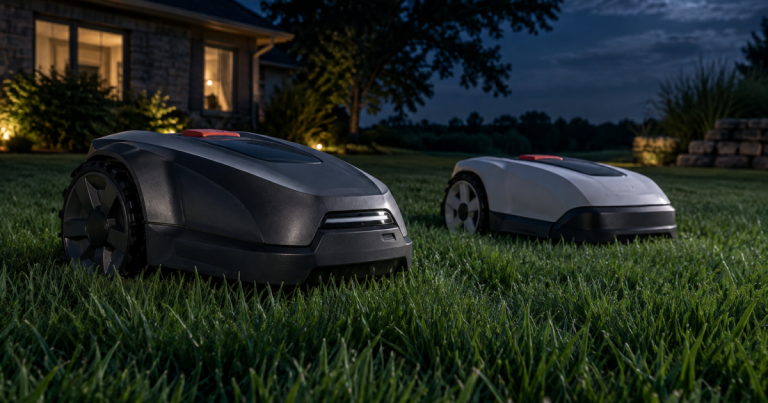
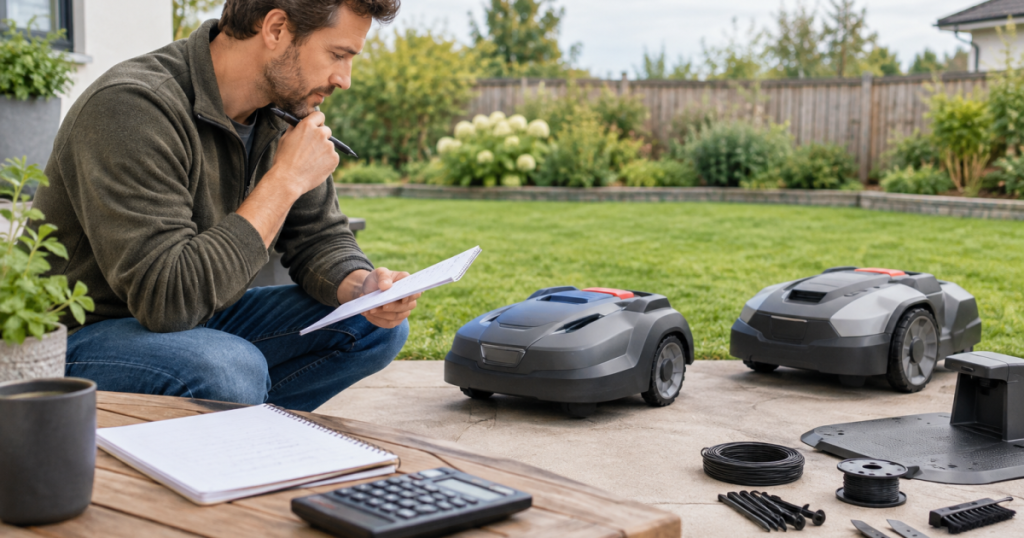
A robot mower can make weekends quieter and easier, but robot lawn mower hidden costs can turn a clean buying decision into a five-year ownership math problem. The machine is the headline expense; the smaller bills are blades, installation supplies, connectivity, battery replacement, repairs, and the occasional shipping box you hoped you would never need.
The goal is not to scare you away from automated mowing. It is to stop a low purchase price from winning the decision by itself. A mower that fits your yard, has clear parts support, and does not rely on surprise add-ons is usually the calmer buy.
The big picture
Before buying a robot lawn mower, build a five-year cost checklist that includes eight buckets: subscriptions or cellular plans, replacement blades and screws, battery replacement, boundary or setup supplies, charging-station accessories, extended warranty coverage, repair parts and labor, and return shipping. If a mower looks affordable only because several of those costs are unknown, treat that as a buying risk rather than a bargain.
A good five-year budget does not need perfect numbers. It needs clear answers. Ask whether each cost is included, optional, recurring, owner-serviceable, dealer-serviceable, or unknown. Unknowns are where neat spreadsheets go to live in a shed and sulk.
Step 1: Check whether navigation or app features need a paid plan
Some robot mowers rely on an app for setup, scheduling, map changes, theft alerts, remote status, or connectivity features. Others can perform core mowing tasks without an ongoing plan, while advanced connected features may depend on cellular service or a manufacturer account. The catch is that product pages do not always make the long-term renewal path obvious.
Before you buy, look for answers to these questions:
- Is app access required for normal scheduling, or only for convenience?
- Does the mower include cellular service for a limited period?
- What happens when included connectivity expires?
- Can the mower still cut using Bluetooth, Wi-Fi, physical controls, or saved schedules?
- Are map editing, theft tracking, notifications, or firmware updates tied to an account?
Do not assume “wire-free” means “fee-free.” Wire-free usually describes how the mower defines its mowing area, not whether connectivity has a long-term cost. If the retailer listing is vague, check the manufacturer support pages before buying.
Step 2: Price the blade routine, not just the mower
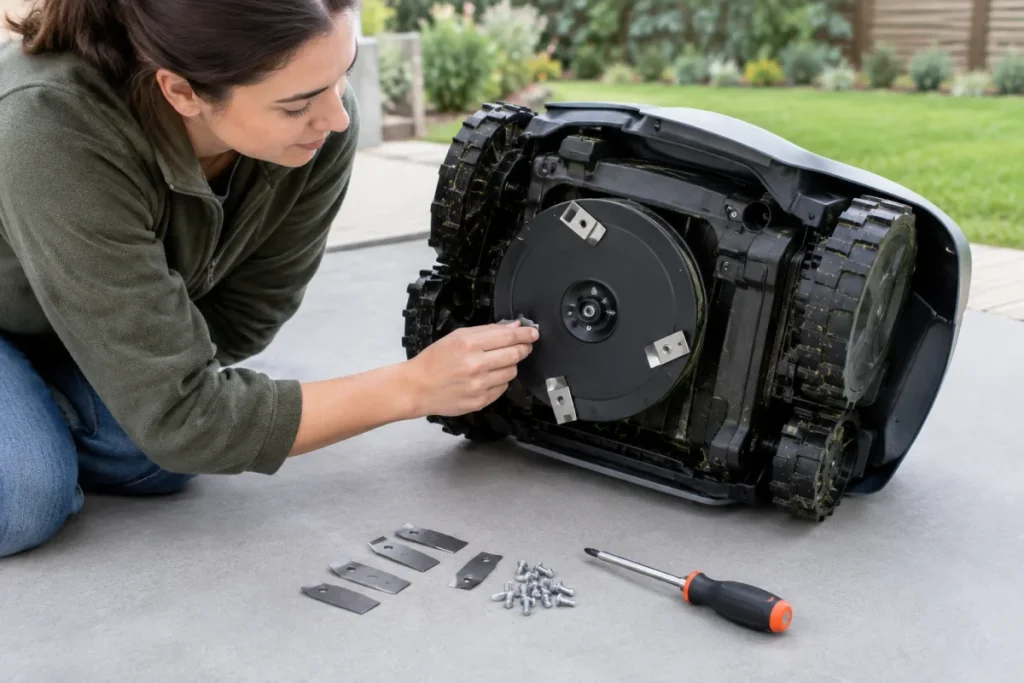
Robot mowers use small replaceable cutting blades. They are not a once-and-done purchase. How often you replace them depends on grass type, mowing frequency, sticks, pine cones, sand, roots, and how clean the lawn stays. A tidy lawn with soft turf is easier on blades than a yard that collects twigs after every storm.
For your budget, identify the blade type, pack size, screw type, and whether genuine or compatible replacements are readily available. Also check whether replacement screws are included with blades. Tiny blade screws are cheap in theory, but a stripped screw can turn a five-minute job into an evening of muttering.
If you plan to change blades yourself, read up on how to replace or reuse robot mower blade screws without stripping them before your first swap. The maintenance is simple when you use the right driver, clean the screw head, and do not over-tighten everything like you are assembling a bridge.
Step 3: Treat the battery as a future part, not a mystery
Every battery-powered mower has a battery with a finite service life. The exact replacement timing depends on usage, charging behavior, storage, climate, battery design, and manufacturer support. Instead of trying to guess the year it will fail, build a buying filter around replacement clarity.
Before choosing a mower, check:
- Whether the battery is listed as a replaceable part.
- Whether replacement is owner-serviceable or handled by a dealer or service center.
- Whether the battery part number is published in manuals or parts diagrams.
- Whether warranty coverage treats the battery differently from the mower body.
- Whether cold-weather storage instructions are clear.
Battery details are easy to skim past when you are focused on acre ratings and slope numbers, but they affect long-term value. If two models both fit your yard, the one with clearer battery support is usually the easier mower to own. For a deeper pre-purchase check, use this guide to robot mower battery specs worth checking before you buy.
Step 4: Add installation supplies to the first-year budget
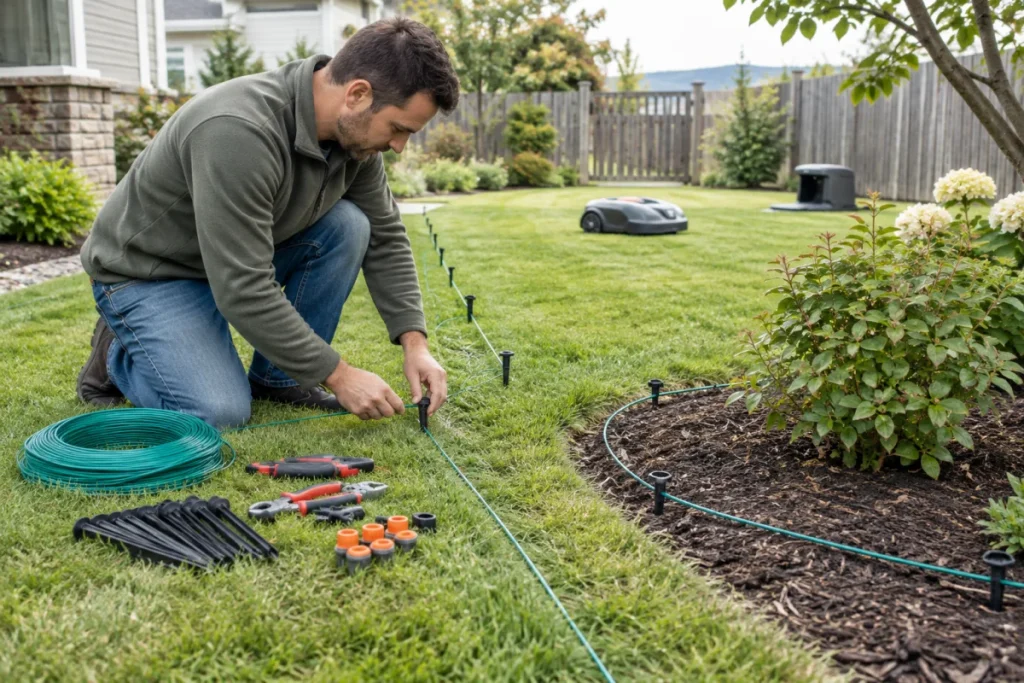
Installation costs vary heavily by mower type and yard layout. A boundary-wire mower may need wire, stakes, connectors, couplers, extra wire for islands, and tools for burying or pinning the line. A wire-free mower may avoid perimeter wire but still need careful mapping time, possible reference-station placement, mounting hardware, or extra setup accessories depending on the system.
Yard shape affects this more than lawn size alone. A simple rectangle is cheaper to prepare than a front-and-back layout with narrow passages, fenced gates, mulch beds, play equipment, exposed roots, and a sloped side yard. The mower may be smart; it is not psychic.
Budget for these setup items:
- Boundary wire, stakes, connectors, and repair couplers for wired systems.
- Extra low-voltage cable routing supplies if the charging dock location is not convenient.
- Mounts, posts, or weather protection for system accessories where appropriate.
- Lawn prep such as filling ruts, trimming low branches, or moving edging hazards.
- Professional installation if your layout is complex or you do not want to troubleshoot the first map yourself.
Also check local restrictions before relying on overnight schedules, front-yard operation, or unattended use near sidewalks. The broad legal picture is covered in this overview of robot mower legality and local-use rules, but HOA rules and municipal expectations can still affect how you use the mower.
Step 5: Compare warranty, repair, and support friction
A long warranty sounds reassuring, but the useful question is what happens when the mower actually needs help. Some issues may be handled through a dealer, some through manufacturer support, and some through replacement parts. Read the warranty language before buying, including battery terms, wear parts, water exposure exclusions, physical damage, and shipping responsibilities.
Repair budgeting is less about predicting failure and more about avoiding dead ends. Look for parts diagrams, service manuals, dealer networks, support ticket options, and published procedures. A mower with unclear support can be more expensive even if the first purchase price is lower.
Pay attention to these ownership friction points:
- Who pays shipping if the mower needs warranty service?
- Is the charging station covered separately?
- Are blades, tires, wheels, covers, or charging contacts considered wear items?
- Can you buy replacement parts without sending in the whole mower?
- Does the retailer have a return window long enough for real yard setup?
Step 6: Do not forget returns, restocking, and heavy-box problems
Robot mowers are not like returning a phone case. The box is large, the mower may be dirty after setup, and some retailers have different rules once outdoor equipment has been opened or used. If you are testing a mower on a borderline yard, return terms are part of the purchase decision.
Before checkout, confirm whether return shipping is prepaid, whether restocking fees apply, whether the original packaging is required, and how long you have to evaluate the mower. This matters most for yards with steep slopes, weak satellite reception, heavy tree cover, narrow corridors, or several disconnected mowing zones.
A simple five-year worksheet
Use this checklist before comparing final prices. Put “included,” “one-time,” “annual,” “future replacement,” or “unknown” beside each item. If too many lines say “unknown,” keep researching before you buy.
- Mower purchase price.
- Sales tax and delivery.
- Boundary wire, stakes, connectors, or mapping accessories.
- Charging dock placement supplies or weather cover.
- Replacement blades and blade screws.
- Battery replacement path and likely service channel.
- App, cellular, cloud, or connected-feature renewals.
- Extended warranty or protection plan.
- Repair labor, replacement parts, and shipping.
- Return shipping, restocking fees, or packaging requirements.
This is also where robot lawn mower hidden costs become easier to compare fairly. A mower with a higher upfront price can still be the better value if it includes the setup parts you need, has clearer parts support, and avoids recurring fees for features you consider essential.
Where spending more can make sense
Do not pay extra for features your yard cannot use, but do pay attention to fit. A compact mower that is perfect for a flat fenced backyard may be the wrong answer for a sloped corner lot with rough transitions. Likewise, a premium wire-free model may be overkill for a simple lawn where a boundary-wire setup would be predictable and cheaper to maintain.
Extra budget is easiest to justify when it reduces real ownership friction: better fit for slope, clearer multi-zone handling, stronger support, easier blade access, documented battery replacement, or fewer add-on parts. It is harder to justify when the upgrade is mostly app gloss and marketing language.
What people usually ask
Are robot mower subscriptions always required?
No. Some mowers do not require a recurring plan for basic mowing, while others may use paid connectivity for remote features, cellular service, or advanced account-based functions. Verify the current terms for the exact model before buying.
How much should I budget for blades?
Budget for regular blade replacement, but do not rely on one universal schedule. Lawn debris, mowing frequency, grass conditions, and blade design all change the replacement rhythm. Check the cost and availability of blade packs before choosing a mower.
Is professional installation worth it?
It can be, particularly for boundary-wire systems, complex yards, steep transitions, or owners who do not want to spend weekends troubleshooting maps and dock placement. For simple lawns, a careful DIY setup may be enough.
Main lessons
The best pre-purchase habit is to price the mower as a system, not a gadget. Include the cutting parts, the setup parts, the connected features, the battery path, the repair route, and the return plan. Once those are visible, the right choice usually becomes clearer: buy the mower that fits your yard and your tolerance for upkeep, not just the one with the friendliest sticker price.