A weak battery turns a robot mower from quietly useful to weirdly needy: shorter runs, more dock visits, unfinished zones, and the occasional mid-lawn sulk. Before buying a robot mower replacement battery, check the specs that decide whether the pack is compatible, safe, and worth the money. The right choice depends less on headline capacity and more on model fit, battery management, warranty position, and how the mower is actually behaving in your yard.
Battery replacement involving internal packs, damaged lithium batteries, wiring, or charger diagnosis should be handled by a qualified service technician in line with the mower manufacturer’s instructions, applicable safety standards, and local requirements.
The short version
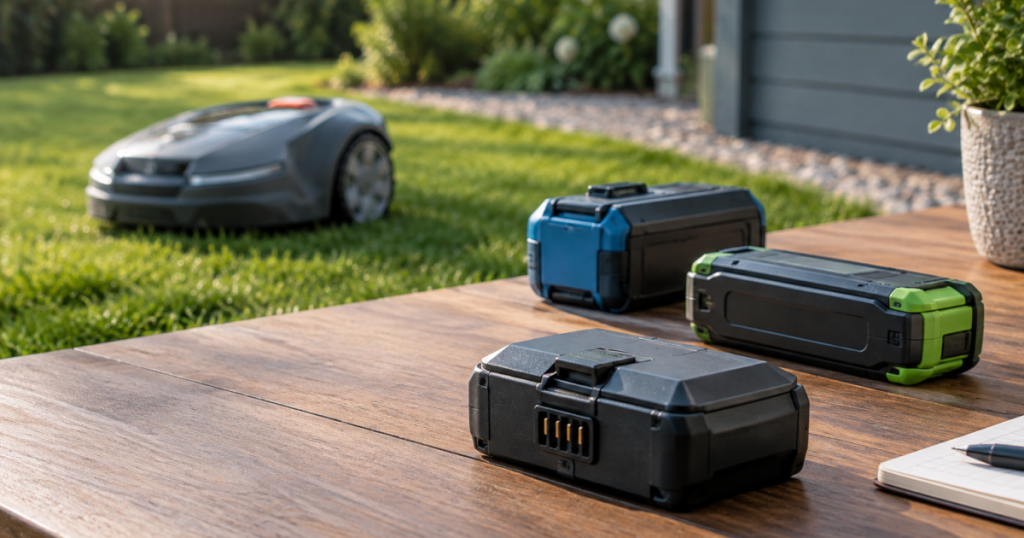
Buy by exact mower model and part number first, specs second. Voltage, battery chemistry, connector style, physical fit, battery management, and weather sealing are non-negotiable. Capacity can be useful, but only within the range approved for the mower. An OEM battery is usually the safest choice for a newer or proprietary mower; an aftermarket pack is mainly a budget option for out-of-warranty machines when the seller can prove exact compatibility; a tool-platform battery only makes sense if the mower was designed for that battery system.
Do not assume a battery is bad just because runtime has dropped. Dull blades, tall grass, wet mowing, dirty contacts, tired wheels, poor docking alignment, or a mower that is getting lost can all mimic battery failure. If the mower often returns low on charge because it cannot dock reliably, start with the basics in this docking troubleshooting guide before ordering parts.
Step 1: Confirm the battery is really the problem
Battery decline usually shows up as a pattern, not a single bad day. A robot mower working through damp grass after a fast spring growth spurt will use more energy than it does on a dry, already-trimmed lawn. That is normal. What you are looking for is a consistent change under similar conditions.
Signs that point toward battery wear include:
- Noticeably shorter mowing sessions on the same area, grass height, and schedule.
- More frequent returns to the charging station without a change in yard setup.
- The mower starting a zone but failing to cover as much ground as it used to.
- Battery warnings, unexpected shutdowns, or a charge level that drops abruptly.
- A battery that charges unusually fast but also drains unusually fast.
Signs that may point somewhere else include:
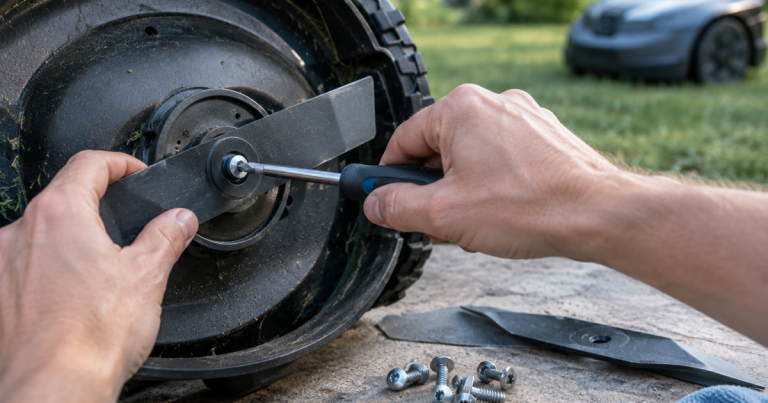
- Ragged cutting, which can increase load and often starts with blades rather than the battery.
- Runtime loss only when grass is tall, wet, or dense.
- Docking failures, dirty charging contacts, or intermittent charging station power.
- New route problems after you changed no-go zones, moved the dock, or altered the boundary setup.
- Slipping, scraping, or struggling caused by roots, ruts, soft soil, or debris.
If your mower is suddenly working harder because you are cutting cool-season turf high, that may be a setup and mower-fit issue rather than a defective pack. For lawns with tall fescue or Kentucky bluegrass, cutting height can influence how often the mower works and how much load it sees; the mower still needs to be appropriate for the turf, not just newly charged. See the height discussion in our tall fescue and Kentucky bluegrass mower guide.
Step 2: Match the specs that cannot be fudged
Voltage
Voltage must match the mower’s requirements. Do not buy a pack because it “looks close” or because the connector appears to fit. A wrong-voltage battery can damage electronics, create charging problems, or fail immediately. Treat voltage as a hard compatibility rule, not an upgrade path.
Battery chemistry
Most current robot mower batteries are lithium-based, but you should still verify the chemistry listed in the mower manual or parts documentation. Chemistry affects charging behavior, battery management, storage guidance, and safety handling. Do not replace a manufacturer-specified pack with a different chemistry unless the manufacturer supports it for that mower.
Capacity: amp-hours and watt-hours
Capacity is where buyers often get tempted. Amp-hours, often written as Ah, describe how much charge a pack can store at its rated voltage. Watt-hours, or Wh, combine voltage and amp-hours into a more useful energy figure. In plain English: more capacity can mean longer runtime only if the mower’s electronics, compartment, charger, and firmware are designed to accept that pack.
A higher-capacity battery is not automatically better. It may be physically larger, heavier, slower to charge, or outside the mower’s supported range. If the manual or parts list specifies approved capacities, stay inside that lane. Robot mowers are not pickup trucks; stuffing in the biggest battery you can find is not a personality trait worth cultivating.
Connector, case shape, and mounting
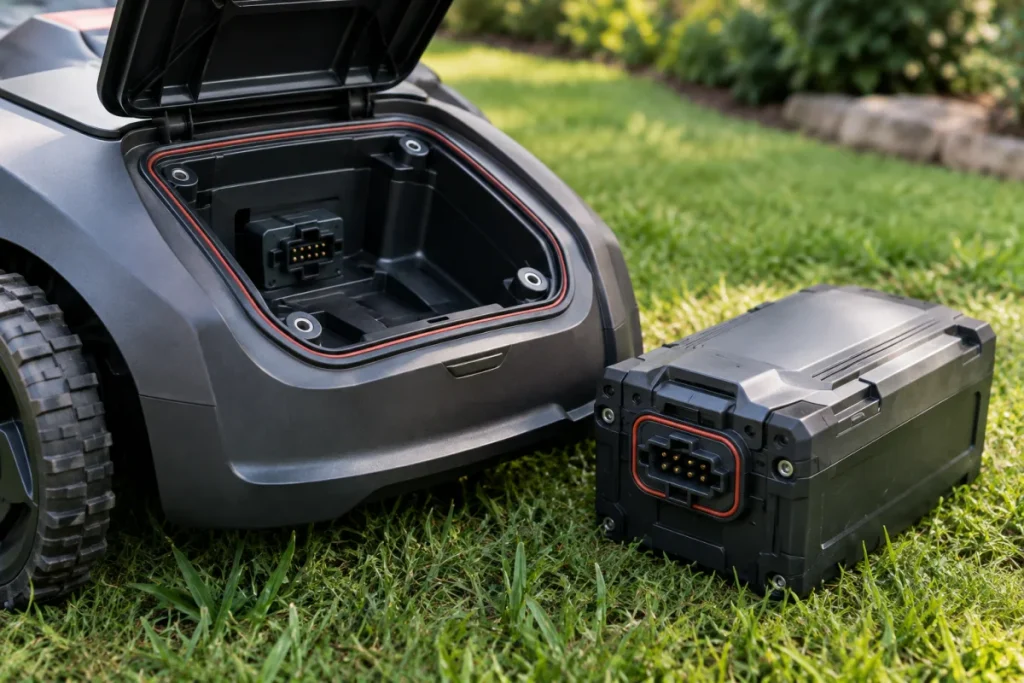
Two packs can share voltage and capacity but still be wrong for each other. The connector must match, polarity must be correct, the case must fit securely, and any latch, gasket, harness, or mounting bracket must sit as intended. A battery compartment that does not close properly can expose the pack and electronics to moisture or vibration.
Battery management system
Many packs include battery management electronics that help control charging, discharging, temperature limits, and cell balancing. With proprietary robot mower packs, the mower and battery may communicate in ways that are not obvious from the label. This is one reason exact part matching is so important. A cheap pack that ignores those requirements can create more trouble than it saves.
Step 3: Choose OEM, aftermarket, or tool-platform
OEM batteries
An OEM battery is supplied by the mower brand or its authorized parts channel. For newer mowers, warranty-covered machines, premium wire-free models, and anything with a sealed or internal battery, OEM is usually the cleanest choice. You are paying for exact fit, supported charging behavior, and fewer arguments if the mower later needs service.
The trade-off is cost and availability. Current pricing is model-specific, so do not rely on a universal dollar range. Check the exact part number, shipping, tax, dealer labor if needed, and whether the battery is user-replaceable or service-installed.
Aftermarket batteries
An aftermarket battery can make sense for an older mower that is out of warranty and expensive to support through official channels. The buying rules need to be stricter, not looser. Look for exact mower-model compatibility, matching voltage and chemistry, clear capacity labeling, a return policy, a real seller identity, and written support for the mower’s charging system.
Avoid vague listings that say they fit “many robot mowers” without naming models and part numbers. Also be cautious with packs that promise dramatic runtime gains without explaining physical fit, charging compatibility, and battery management. Runtime is useful; mystery electronics are not.
Tool-platform batteries
Some robot mowers use removable batteries from a wider cordless-tool battery platform. Worx Power Share batteries are the familiar example many shoppers recognize, but the same buying logic applies to any platform design: use only batteries the mower is specified to accept. Match the voltage platform exactly, confirm the approved capacity range, and make sure the pack physically locks into the mower without adapters or exposed gaps.
Tool-platform batteries are appealing because owners may already have compatible packs and chargers. The compromise is that the mower’s usable runtime depends on the capacity you choose, the condition of the pack, and the work the mower is doing. A small pack may be fine for a small, simple lawn. A larger pack may be useful only if the mower manual supports it and the mower compartment accepts it correctly.
Step 4: Check warranty and service risk before buying
Battery decisions can affect more than runtime. Using a non-approved battery may complicate warranty support, service diagnosis, or future repair claims. The warranty terms are model-specific, so read them before fitting a third-party pack. If the mower is still under warranty, the safer editorial call is to use the manufacturer’s approved battery route unless the brand explicitly supports another option.
Also check whether replacement is meant to be user-serviceable. Some mowers have accessible packs. Others may require disassembly, sealing, software checks, or dealer service. If the battery sits behind weather seals or internal covers, the real cost is not just the part; it is restoring the mower so it remains weather-ready after the job.
Step 5: Rule out charging setup problems
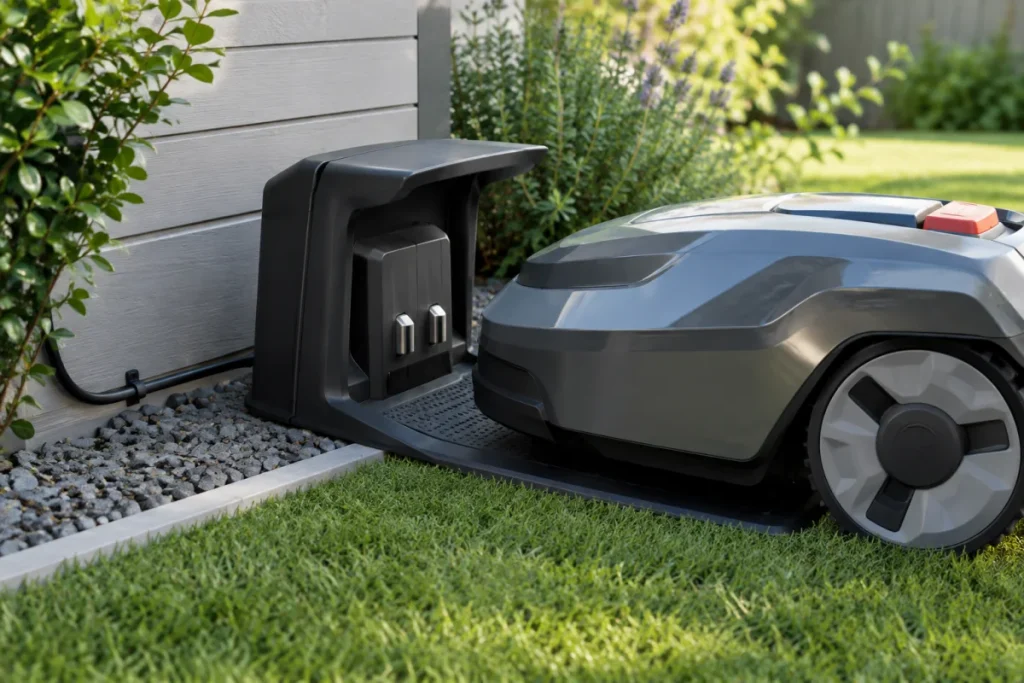
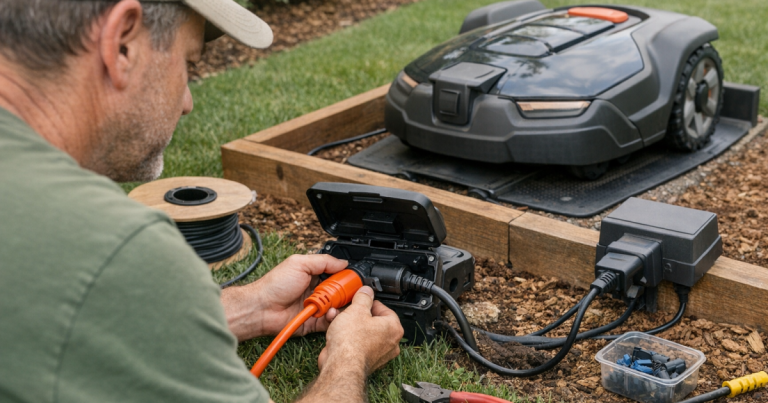
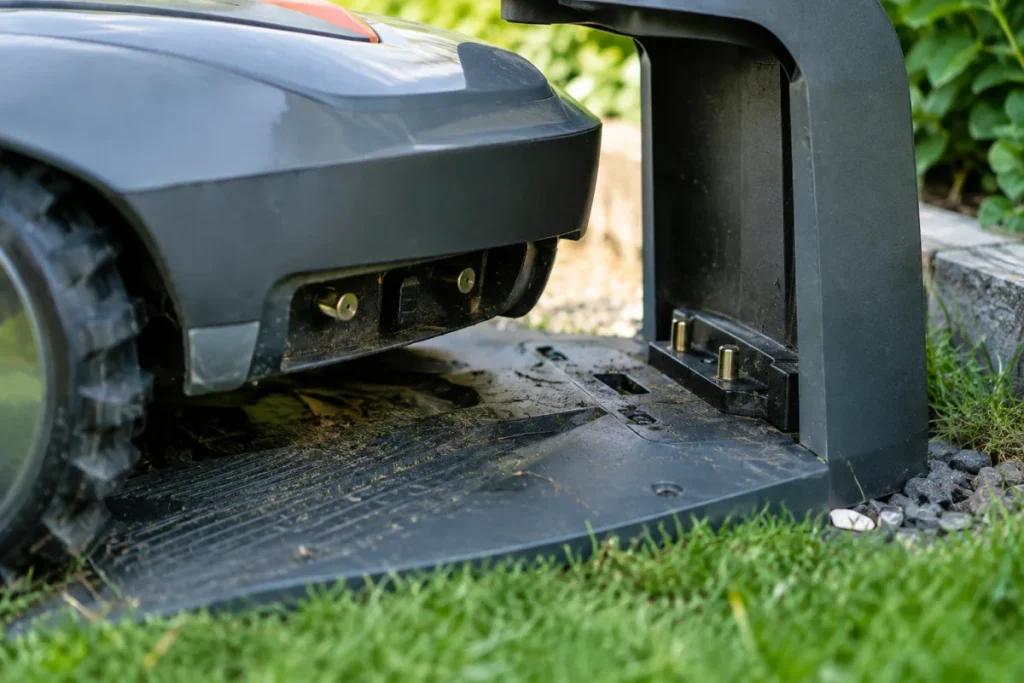
A good battery can look bad when the charging station is underpowered, poorly positioned, dirty, or intermittently connected. Inspect the charging contacts, confirm the mower docks squarely, and look for extension-cord improvisations or low-voltage cable routes that are vulnerable to damage. If the charging station power setup needs to be moved or extended, follow the safety principles in our guide to extending robot mower charging station power.
After cleaning contacts and confirming reliable docking, run the mower through a few normal cycles before deciding. One clean charge cycle is not enough to judge a tired battery, but repeated short sessions under normal mowing conditions tell a clearer story.
Step 6: Use a safe buying checklist
Before you pay, collect these details:
- Exact mower brand, model, variant, and serial number if the parts system asks for it.
- Original battery part number from the manual, label, dealer, or parts diagram.
- Required voltage, chemistry, and approved capacity range.
- Connector type, case shape, mounting method, and weather-seal requirements.
- Whether replacement is user-serviceable or dealer-installed.
- Warranty impact of using a non-OEM battery.
- Return policy if the pack does not fit or is not recognized by the mower.
- Current $ price of the battery, shipping, tax, and any labor charge.
- Storage and recycling instructions for the old battery.
For lithium packs, do not buy used batteries with unknown history unless you are prepared for a short remaining life and no practical support. Avoid swollen, cracked, corroded, overheated, or water-damaged packs entirely. Those are not bargain parts; they are future problems with a label.
Key questions answered
How long should a robot mower battery last?
There is no universal lifespan because runtime depends on battery chemistry, charging habits, mowing load, storage conditions, climate, and the mower’s schedule. Use symptoms and diagnostics rather than age alone. A mower that still completes its scheduled work reliably may not need a battery yet.
Can I upgrade to a higher Ah battery?
Only if the mower manufacturer supports that capacity for your model or the tool-platform system lists it as compatible. Higher Ah can increase stored energy, but it does not override limits in the charger, battery compartment, firmware, or battery management system.
What damages robot mower batteries in storage?
Long off-season storage at a very low charge, excessive heat, moisture exposure, dirty terminals, and ignoring the manufacturer’s recharge instructions can all shorten battery life. Follow the manual’s storage guidance for charge level, temperature, and recharge interval. If the mower is stored for winter, treat the battery as part of the storage plan, not as an afterthought.
What to remember
The right robot mower battery is the one the mower can safely recognize, charge, carry, and seal against yard conditions. Start with exact model compatibility, then verify voltage, chemistry, capacity, connector, physical fit, and battery management. Choose OEM for the least friction, aftermarket only with tight compatibility proof, and tool-platform packs only when the mower was designed for that system.
If the symptoms are mixed, diagnose before buying. A battery is not the only reason a robot mower slows down, docks badly, or fails to finish a zone. Spending ten minutes on contacts, blades, grass conditions, and charging setup can save you from buying the right-looking part for the wrong problem.